

You can create a logo without Photoshop or Illustrator using free online logo makers like Canva, Adobe Express, Wix Logo Maker, or LogoMaker. These tools provide templates, AI-generated designs, and drag-and-drop editors, making it easy to design professional logos in minutes without any design experience.
What Tools Can You Use to Create a Logo Without Photoshop?
You can use online logo makers like Canva, Adobe Express, Wix Logo Maker, and LogoMaker to create logos without Photoshop or Illustrator.
Best Tools to Use
- Canva (easy drag-and-drop editor)
- Adobe Express (professional templates)
- Wix Logo Maker (AI-powered designs)
- LogoMaker.net (fast logo generation)
- SmallSEOTools (fully free option)
What is an Online Logo Maker?
An online logo maker is a web-based tool that allows users to create logos using templates, icons, and customization features without installing software.
Key Features
- Drag-and-drop editing
- Ready-made templates
- Custom fonts and colors
- Instant download options
How to Create a Logo Without Illustrator (Step-by-step)
To create a logo without Illustrator, use an online logo maker, select a template, customize your design, and download the final version.
Follow These Steps
- Choose a logo maker (Canva, Wix, or LogoMaker)
- Enter your business name
- Select a template or an AI-generated design
- Customize colors, fonts, and icons
- Preview your logo on different backgrounds
- Download your final logo
💡 Tip: Always check your logo on both light and dark backgrounds.
What are the Best Free Logo Makers?
Some of the best free logo makers include LogoMaker, SmallSEOTools Logo Creator, and Wix Logo Maker, as they offer easy customization and beginner-friendly interfaces.
Canva – Best for Beginners
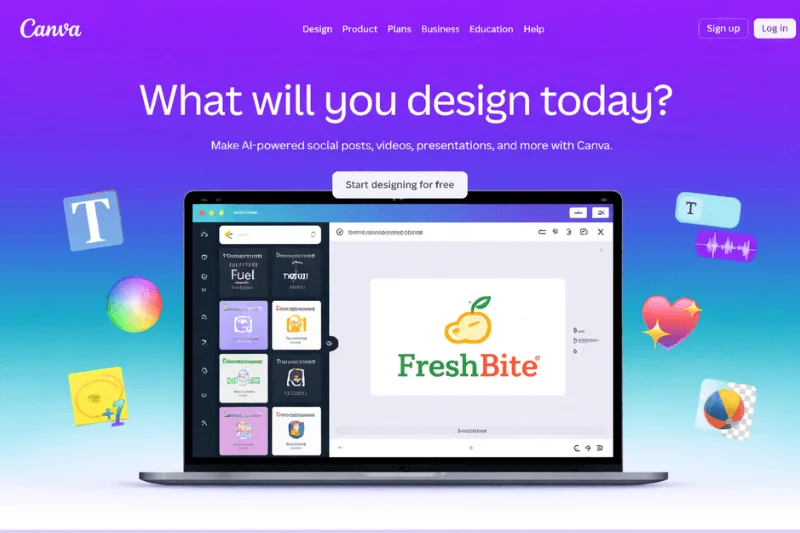
Canva is one of the easiest tools we tested. Its drag-and-drop editor and ready-made templates make logo creation extremely simple. It’s perfect for beginners, though advanced customization is somewhat limited.
How to Create a Logo Using Canva
- Go to Canva and search for “Logo.”
- Choose a template that fits your brand
- Edit the text, colors, and icons
- Adjust layout and spacing
- Download your logo (PNG or JPG)
Adobe Express – Best for Professional Templates
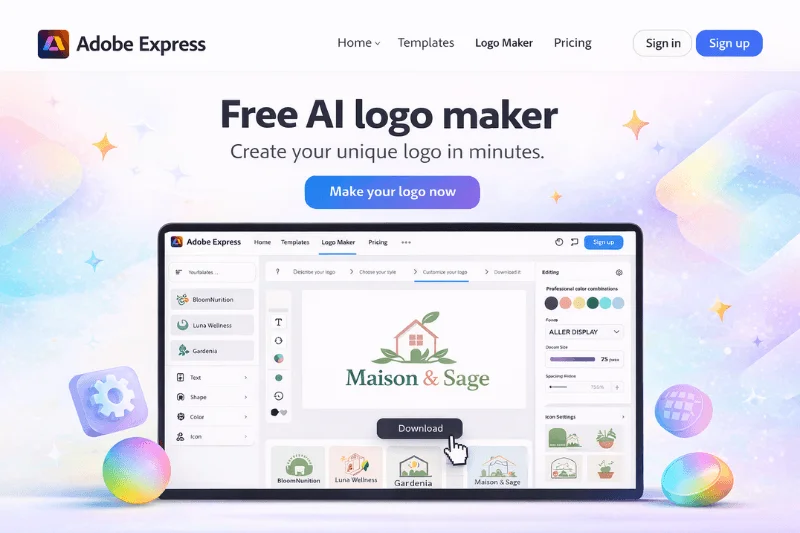
Adobe Express offers high-quality templates and clean design layouts. During testing, we found it produces more polished results, but downloading high-resolution files may require a paid plan.
How to Create a Logo Using Adobe Express
- Open Adobe Express logo maker
- Enter your brand name and slogan
- Browse template suggestions
- Customize fonts, icons, and colors
- Preview and download your logo
Wix Logo Maker – Best AI-Powered Tool
Wix uses AI to generate logo designs based on your preferences. It creates more brand-focused logos, but premium downloads are usually paid.
How to Create a Logo Using Wix Logo Maker
- Enter your business name
- Answer a few questions about your brand
- Let AI generate logo options
- Customize your selected design
- Download your logo
LogoMaker.net – Best for Quick Logo Creation

We tested LogoMaker.net and generated multiple logo variations within minutes. It’s fast and beginner-friendly, but free downloads come with lower resolution.
How to Create a Logo Using Logomaker.net
- Visit LogoMaker.net
- Choose your business category
- Select a logo template
- Customize fonts, colors, and icons
- Download your logo
SmallSEOTools Logo Creator – Best Free Option

SmallSEOTools Logo Creator is completely free and requires no sign-up. However, customization options are limited, making it suitable for simple or temporary logos.
How to Create a Logo Using Smallseotools
- Go to the logo maker tool
- Select your business type
- Choose a template
- Edit text and colors
- Download your logo
Comparison of the Best Logo Makers
| Tool | Best For | Free Version | Design Quality | Ease of Use |
|---|---|---|---|---|
| Canva | Beginners | Yes | High | Very Easy |
| Adobe Express | Clean designs | Partial | High | Easy |
| Wix Logo Maker | AI logos | Partial | High | Very Easy |
| LogoMaker.net | Quick logos | Yes | Medium | Very Easy |
| SmallSEOTools | Free basic logos | Yes | Basic | Easy |
What Makes a Logo Look Professional?
A professional logo is simple, clear, relevant to the brand, and easy to recognize across different sizes and platforms.
Key Principles
- Keep it simple
- Use readable fonts
- Choose relevant colors
- Ensure scalability
- Maintain brand consistency
When Should You Not Use Online Logo Makers?
You should avoid online logo makers if you need a unique, trademark-ready logo or are building a premium brand that requires custom design.
Avoid Logo Makers If
- You need full originality
- You plan to trademark your logo
- You want premium branding
Our Real Recommendation (Based on Testing)
At Clipping World, we’ve worked on thousands of image editing and branding projects. In our testing, Canva and Wix produced the most usable logos for beginners, while LogoMaker was the fastest for quick results.
Final Thoughts
You don’t need Photoshop or Illustrator to create a professional logo anymore. With modern online tools, anyone can design a clean, effective, and brand-ready logo in just a few minutes.
Frequently Asked Questions
Use free online tools like Canva or Wix Logo Maker to create a logo by choosing a template, customizing it, and downloading it.
Canva is the best free logo maker for beginners due to its simple drag-and-drop interface and ready-made templates.
Wix Logo Maker is one of the best AI logo makers as it creates personalized logo designs based on your inputs.