
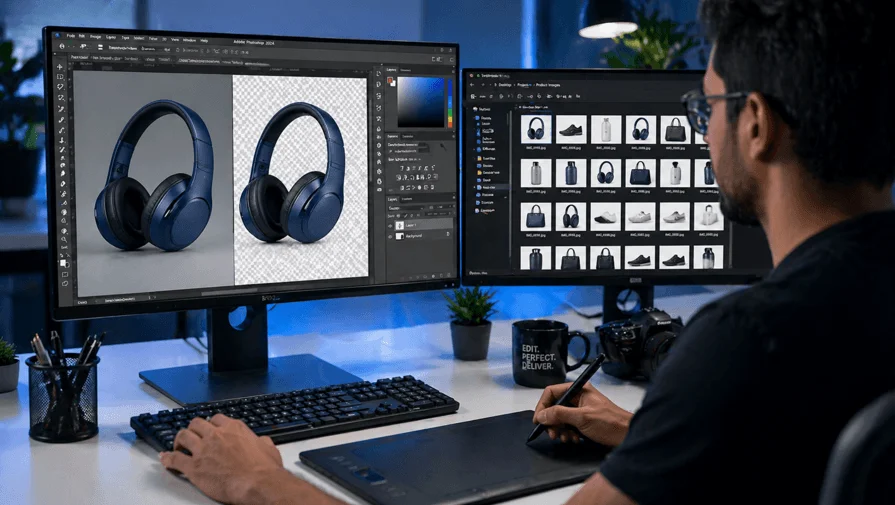
Finding a reliable professional photo editor online can feel overwhelming — there are hundreds of freelancers, agencies, and platforms to choose from. Whether you need product images edited for your ecommerce store, portraits retouched for a photography business, or bulk image manipulation for a marketing campaign, this guide covers exactly what to look for, where to find the right editor, and what questions to ask before hiring.
What Is a Professional Photo Editor?
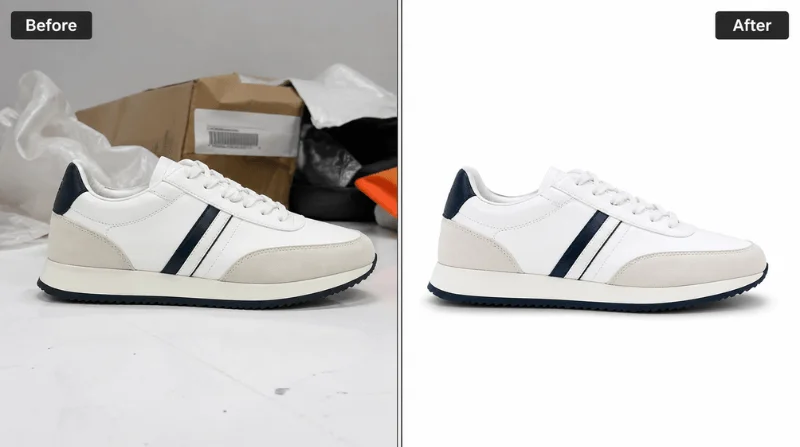
A professional photo editor is a skilled specialist who uses advanced software — primarily Adobe Photoshop and Lightroom — to enhance, retouch, manipulate, or transform images for commercial or personal use. Unlike automated AI tools, a professional human editor brings artistic judgment, brand consistency, and technical precision to every image.
Professional photo editing services typically include background removal, clipping path, color correction, skin retouching, ghost mannequin editing, photo compositing, shadow creation, and bulk ecommerce image editing.
Why Hire a Professional Photo Editor Instead of Using an AI Tool?
AI-powered photo editors have improved significantly in 2026. Tools like Adobe Firefly, Luminar Neo, and PhotoGrid handle basic enhancements like background removal and portrait retouching quickly and affordably. However, there are clear limitations.
For high-volume ecommerce catalogs, brand-specific editing workflows, complex clipping paths, or images that require human creative judgment — such as jewelry retouching, ghost mannequin effects, or multi-layer photo compositing — a professional human editor consistently outperforms automated tools.
AI tends to over-process fine details like hair, fur, jewelry edges, and transparent objects, producing results that look unnatural or require manual correction anyway. If your images directly impact sales, customer trust, or brand perception, a professional editor is the right investment.
5 Best Ways to Find a Professional Photo Editor Online
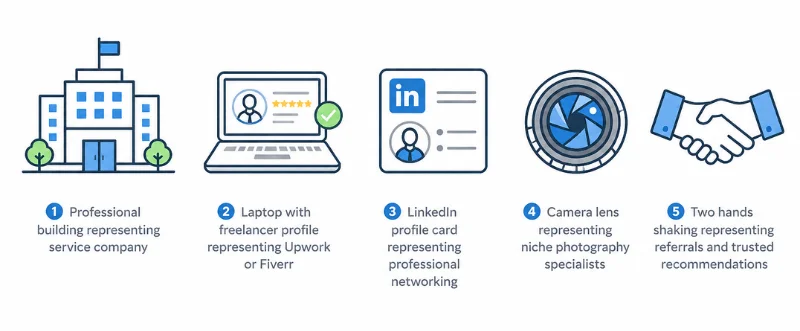
1. Hire a Dedicated Image Editing Service Provider
The most reliable way to get consistent, high-quality results is to work with a specialized image editing company. Unlike freelancers, dedicated service providers offer structured workflows, quality control systems, team-based delivery, and scalable capacity for bulk orders.
What to look for in an image editing service provider:
- Clear pricing per image or per project
- Free trial images before committing
- Defined turnaround time (24–48 hours standard)
- Unlimited revision policy
- NDA and secure file handling for enterprise clients
ClippingWorld is one example of a professional photo editing service provider offering background removal, clipping path, ghost mannequin editing, product retouching, and bulk ecommerce image editing starting at $1.00 per image with a 24-hour turnaround and 3 free trial images.
2. Use a Freelance Platform
Freelance marketplaces connect you directly with individual photo editors worldwide. The most widely used platforms in 2026 include:
Upwork — The largest freelance platform for hiring photo editors. You can post a job and receive bids, or browse editor profiles filtered by skill, rating, and hourly rate. Upwork works well for both one-off projects and ongoing retouching work.
Fiverr — Better suited for smaller, defined editing tasks. Many photo editors on Fiverr offer fixed packages for background removal, retouching, and clipping path at competitive rates.
99designs — More focused on creative and design work, including photo manipulation and compositing for advertising campaigns.
When hiring on a freelance platform, always check the editor’s portfolio carefully, read client reviews, and request a small test edit before assigning a full project.
3. Search on LinkedIn and Creative Portfolios
LinkedIn is an underused resource for finding professional photo editors, particularly for long-term or agency-level work. Search for “photo retoucher,” “Photoshop editor,” or “image manipulation specialist” and filter by location or remote availability.
Portfolio sites like Behance and Dribbble also showcase the work of professional retouchers and compositors. These platforms give you a clear view of an editor’s style, skill level, and areas of specialization before you reach out.
4. Look for Niche Editing Specialists
Different types of photography require different editing expertise. A fashion retoucher may not be the right choice for ecommerce product editing, and a real estate photo editor may not handle portrait work well.
Match the editor’s specialization to your specific need:
- Ecommerce product images → look for editors experienced in background removal, shadow creation, and Amazon/Shopify image standards
- Fashion and apparel → look for ghost mannequin specialists and color correction experts
- Portrait and wedding photography → look for skin retouching and Lightroom workflow editors
- Real estate → look for HDR blending, sky replacement, and virtual staging specialists
- Jewelry and luxury products → look for high-end retouchers familiar with reflections, gloss, and fine detail
5. Ask for Referrals from Your Network
Word-of-mouth referrals remain one of the most effective ways to find a reliable editor. Ask fellow photographers, ecommerce sellers, or marketing professionals in your industry who they use for photo editing. Referrals come with built-in trust and a track record you can verify.
Photography Facebook groups, Reddit communities like r/photography and r/fotografie, and industry Slack groups are all good places to ask for recommendations.
What to Check Before Hiring a Photo Editor Online
Before committing to any photo editor or editing service, evaluate the following:
Portfolio quality — Does their previous work match the style and quality you need? Look for consistency across multiple images, not just one showcase piece.
Turnaround time — Confirm how long each batch will take and whether rush delivery is available for urgent projects.
Revision policy — Professional editors should offer at least one round of free revisions. Unlimited revisions are standard with reputable service providers.
Pricing transparency — Understand the pricing structure before starting. Per-image pricing is the clearest model for ecommerce and product editing work.
File security — If your images contain unreleased products, brand assets, or sensitive content, confirm that the editor or service has an NDA policy and secure file transfer.
Communication — Test responsiveness before committing. An editor who replies slowly during the inquiry stage will likely cause delays during the actual project.
Questions to Ask a Photo Editor Before Hiring
- What editing software do you use?
- Can I see examples of work similar to my project?
- What is your turnaround time for [X] images?
- Do you offer a free trial edit?
- What file formats do you deliver?
- How do you handle revision requests?
- Is my project covered by an NDA?
- How do you handle bulk or recurring orders?
How Much Does a Professional Photo Editor Cost Online?
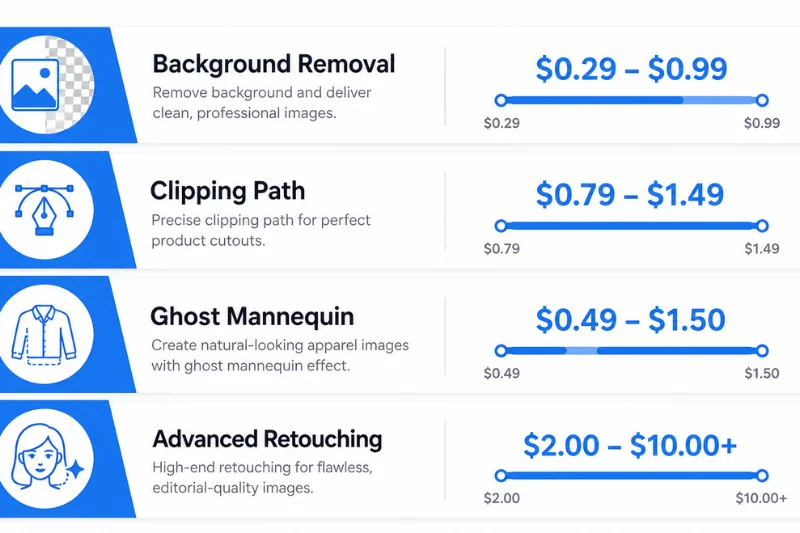
Photo editing pricing varies widely depending on the type of work, complexity, and whether you hire a freelancer or use a service provider.
Per-image pricing is the most common model for ecommerce and product editing:
- Simple background removal: $0.29 – $0.99 per image
- Clipping path (medium complexity): $0.79 – $1.49 per image
- Ghost mannequin editing: $0.49 – $1.50 per image
- Advanced retouching and compositing: $2.00 – $10.00+ per image
Hourly rates for freelance photo editors on platforms like Upwork range from $10 to $75 per hour, depending on experience and location. For bulk orders, most service providers offer volume-based discounts — the more images you submit per order, the lower the per-image rate becomes.
Red Flags to Watch for When Hiring Online
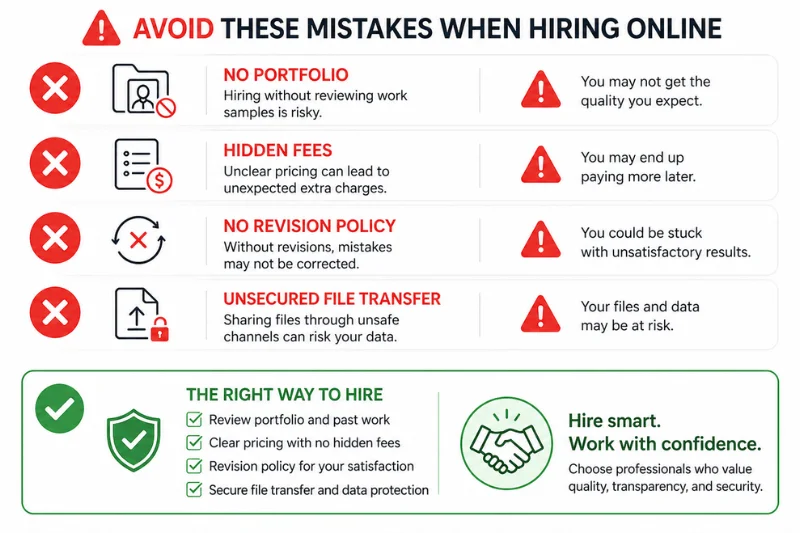
- No portfolio or only AI-generated sample work
- No clear pricing or hidden fees
- Unwilling to provide a free test edit
- No revision policy mentioned
- No secure file transfer method
- Extremely low prices with no explanation (often indicates poor quality or automated editing)
- No clear communication about turnaround time
Summary — How to Find a Professional Photo Editor Online
Finding the right professional photo editor online comes down to matching your specific editing needs with the right type of provider:
For consistent, scalable ecommerce editing, use a dedicated image editing service provider like ClippingWorld with per-image pricing, free trials, and 24-hour turnaround. Creative or one-off projects are better handled by a specialist through Upwork, Fiverr, or Behance.
Building a long-term relationship with a trusted freelancer or agency is ideal when you need someone who understands your brand guidelines and workflow.
Always request a free trial, review the portfolio carefully, confirm the revision policy, and verify file security before placing a full order.
Frequently Asked Questions
The best way to find a professional photo editor online is to work with a dedicated image editing service provider that offers per-image pricing, free trial edits, and a guaranteed turnaround time. For smaller projects, freelance platforms like Upwork and Fiverr are also reliable options.
Hiring a professional photo editor online typically costs between $0.29 and $10.00 per image, depending on the complexity of the work. Simple background removal starts as low as $0.29 per image, while advanced retouching and compositing can cost $2.00 to $10.00 or more. Most service providers offer volume discounts for bulk orders.
When hiring a photo editor online, look for five key things: a strong portfolio, clear turnaround time, a defined revision policy, transparent pricing, and secure file handling. Always request a free trial edit before placing a full order.
Yes, outsourcing photo editing is safe when you work with a reputable service provider. Choose a company that offers encrypted file transfers, a signed NDA agreement, and a clear data deletion policy. Always avoid services that cannot confirm how your files are handled.
Yes, you can hire a photo editor for ongoing monthly work. Many professional editing companies offer monthly retainer plans with priority turnaround, a dedicated editor, and discounted per-image rates — ideal for ecommerce brands, photography studios, and agencies.