
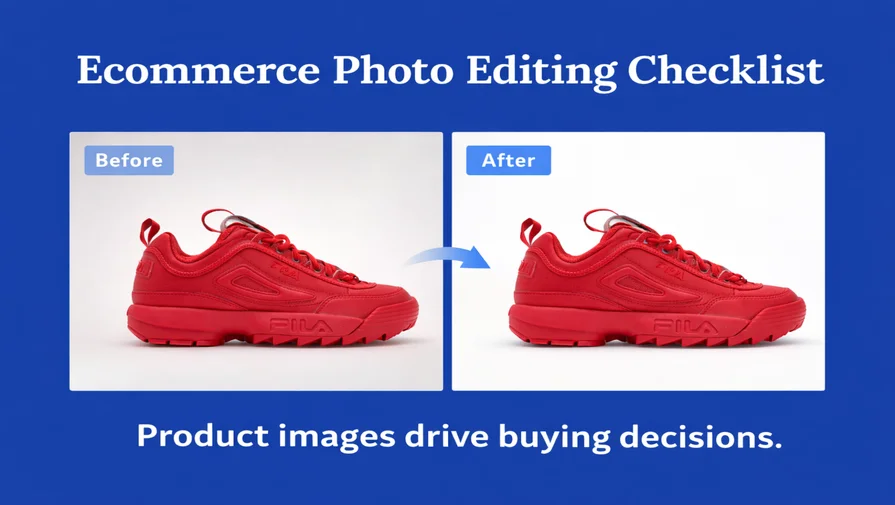
In ecommerce, product images directly influence buying decisions. Since customers cannot touch or inspect products online, image quality, accuracy, and consistency determine trust and conversions.
This ecommerce photo editing checklist outlines the essential steps to improve product presentation, maintain marketplace compliance, and reduce return rates across platforms like Amazon, Shopify, and Etsy.
From background removal and color correction to retouching and image optimization, these best practices ensure your product photos look professional, accurate, and conversion-ready in 2026.
What is Ecommerce Photo Editing?
Ecommerce photo editing is the process of optimizing product images for online stores by improving background, color, clarity, and marketplace compliance. It ensures products look professional, accurate, and conversion-ready across ecommerce platforms.
Why Ecommerce Photo Editing Matters More Than Most Sellers Think
Many sellers treat image editing as a final, optional step. In reality, even small visual issues can lead to:
- Lower conversion rates
- Marketplace image rejection
- Higher return rates
- Loss of buyer trust
Established sellers, however, view photo editing as an essential part of their sales and branding strategy—not just a design task.
Ecommerce Photo Editing Checklist (Quick Summary)
An effective ecommerce photo editing checklist includes the following steps:
- Use high-resolution images (at least 2000px on the longest side)
- Apply a clean white background (#FFFFFF)
- Perform accurate color correction
- Ensure natural and realistic retouching
- Maintain consistent lighting and product angles
- Prepare platform-specific cropping and alignment
- Optimize file size for fast loading
- Add lifestyle images where relevant
The Complete Ecommerce Photo Editing Checklist
1. Image Quality & Resolution: First Impression Drives Clicks
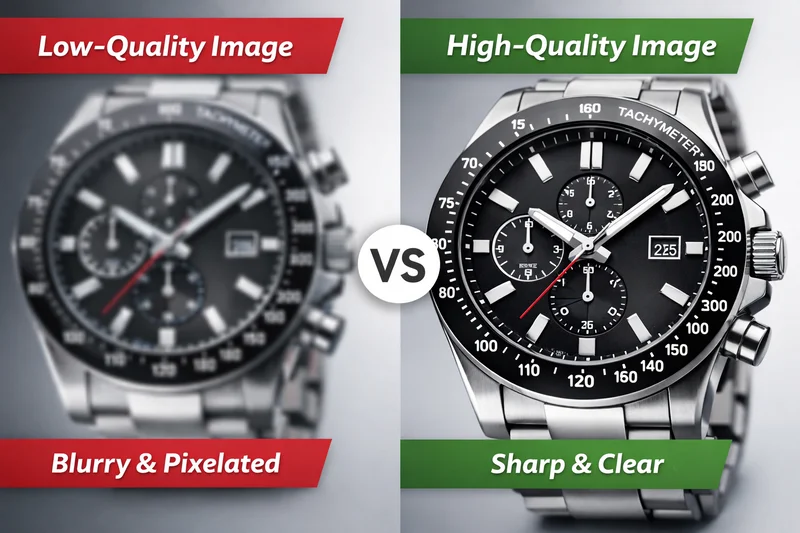
Image quality is the first thing buyers notice in ecommerce listings. Blurry, low-resolution, or poorly lit product images immediately reduce trust and click-through rates.
High-resolution ecommerce product images should:
- Be at least 2000px on the longest side
- Maintain sharp focus without motion blur
- Use clean, balanced lighting
- Display clearly on both desktop and mobile
Professional ecommerce image editing enhances clarity while keeping files optimized for fast loading speed.
The goal is balance:
- High visual clarity
- Optimized file size
- Fast page performance
Clear, high-quality product images improve click-through rates (CTR), increase buyer confidence, and create a stronger first impression in competitive marketplaces.
2. Background Removal: Clean, Compliant & Professional
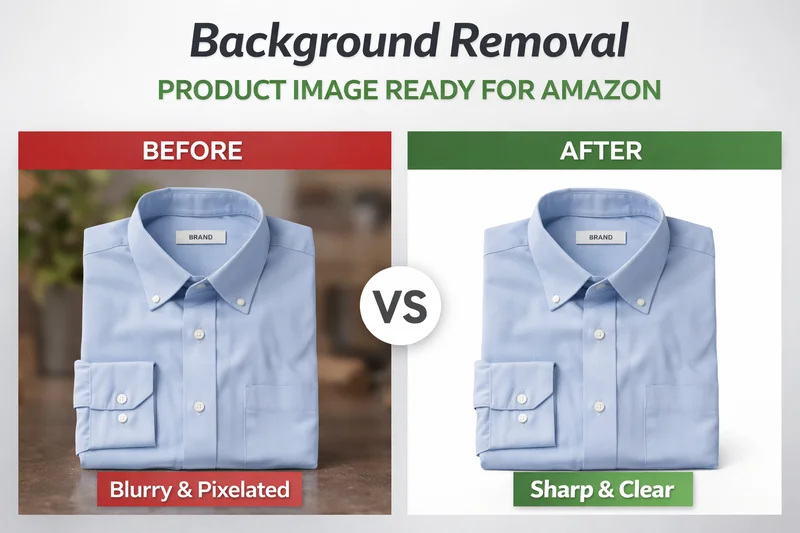
Background removal is one of the most critical steps in ecommerce photo editing. A messy, uneven, or poorly cut background immediately reduces product credibility and can even lead to marketplace rejection.
Most ecommerce platforms require:
- Pure white background (#FFFFFF) for main images
- Clean, smooth product edges
- No halos, jagged pixels, or color spill
- Proper shadow handling without artificial cut lines
For Amazon sellers, these rules are stricter. The main product image must meet Amazon product image background requirements, including pure white RGB (255,255,255) and proper product framing.
Professional background removal for ecommerce images ensures your product looks natural, accurate, and fully compliant with marketplace standards like Amazon and Walmart.
High-quality background editing helps:
- Improve visual clarity
- Maintain product shape accuracy
- Increase listing approval rates
- Build buyer trust instantly
Even small edge errors or artificial cut lines can make a product look fake or low-quality. Clean, precise background editing makes your listing appear professional, compliant, and conversion-ready.
3. Color Correction: Accurate Colors Reduce Returns
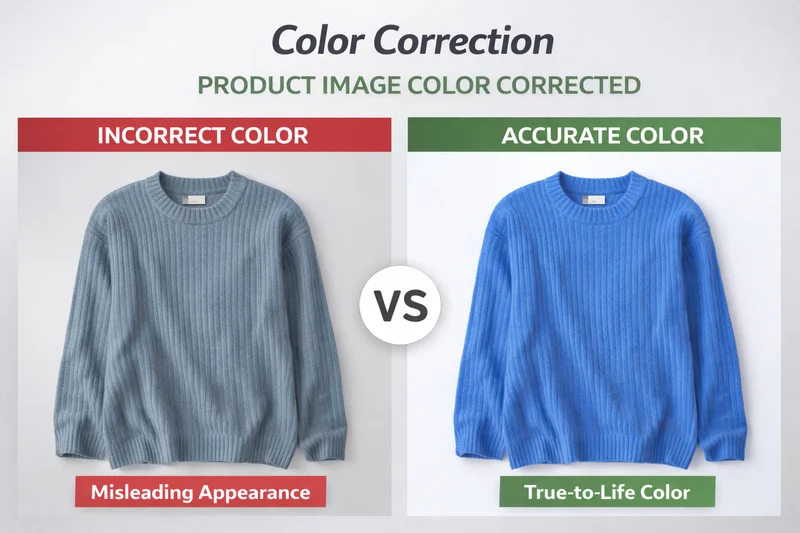
Color accuracy is critical in ecommerce because customers cannot see products in person. Poor color correction often leads to buyer disappointment and higher return rates. Professional color correction for ecommerce images ensures products appear realistic, consistent, and marketplace-ready across all devices.
Color correction includes:
- Correct white balance
- Balanced exposure and contrast
- True-to-life color tones
- Consistency across product variations
- Avoiding over-saturation or unrealistic enhancements
Accurate color presentation builds trust, improves conversion rates, and reduces costly returns — especially in fashion, jewelry, cosmetics, and home décor categories.
4. Retouching: Improve Clarity Without Misrepresentation
Retouching in ecommerce photo editing should improve clarity — not change the product. Over-editing damages trust and increases return rates.
Professional ecommerce photo retouching focuses on:
- Removing dust, scratches, and minor imperfections
- Cleaning fabric wrinkles naturally
- Enhancing texture and fine details
- Improving clarity without altering product shape
Avoid:
- Over-smoothing surfaces
- Changing product structure
- Adding unrealistic reflections or shadows
The goal is simple: make the product look clean, clear, and accurate — not different from reality. Natural retouching increases buyer confidence, supports brand credibility, and helps reduce post-purchase dissatisfaction.
5. Visual Consistency Across Product Images
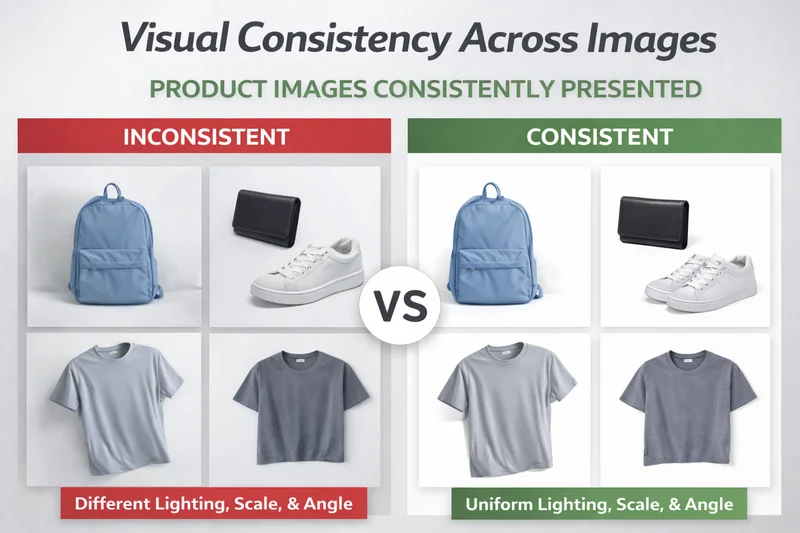
Consistency is a major factor in ecommerce trust. Even if individual images look good, inconsistent lighting, scale, or color tone can make your store appear unprofessional.
Strong ecommerce brands maintain:
- Uniform lighting style across listings
- Consistent color balance
- Equal product scale and alignment
- Similar cropping and framing
Visual consistency improves user experience, strengthens brand identity, and increases buyer confidence — especially on competitive marketplaces.
6. Cropping & Alignment: Platform-Specific Optimization
Different ecommerce platforms display images differently. What works on Shopify may not meet Amazon image standards. Improper cropping can hide product details or create an imbalance on mobile screens.
Proper ecommerce image preparation ensures:
- Centered product placement
- Clear visibility of key details
- Balanced spacing within the frame
- Platform-compliant image dimensions
Platform-specific cropping prevents listing issues and improves product presentation across devices.
7. Technical Optimization for Speed & Compliance
This step is invisible to buyers but critical for performance. Proper product image optimization for ecommerce improves page speed, search visibility, and marketplace approval rates.
Professional ecommerce image optimization includes
- Correct file format (JPG, PNG, or WebP)
- Compressed file size without quality loss
- SEO-friendly image naming
- Marketplace-compliant specifications
Fast-loading images improve mobile experience, search visibility, and overall user engagement.
8. Lifestyle & Context Images
Once core product images are optimized, lifestyle visuals add emotional and contextual value.
Lifestyle images help customers:
- Visualize real-world product usage
- Understand scale and proportion
- Connect emotionally with the brand
When used strategically, lifestyle photography increases engagement and can significantly improve ecommerce conversion rates. However, lifestyle images should support — not replace — clean, compliant product photos.
Real-World Example (Why This Matters)
A fashion seller noticed a 22% increase in conversion rate after correcting inconsistent lighting and color tones across their product images. The products didn’t change — only the visual presentation did. Small improvements, when applied consistently, compound over time.
Why Ecommerce Image Standards Matter Even More in 2026
In 2026, ecommerce image quality plays an even bigger role due to:
- Mobile-first browsing, where images must load fast and remain clear on small screens
- AI-generated content is increasing the importance of accurate, trustworthy product visuals
- Stricter marketplace image compliance, especially on platforms like Amazon and Walmart
As competition increases, clean and accurate product images are no longer optional — they are a baseline requirement.
Should You Edit In-House or Outsource?
Many established sellers eventually work with professional ecommerce photo editing teams to:
- Save time
- Maintain consistency
- Handle bulk image volumes
- Meet marketplace standards
At Clipping World, professional teams support ecommerce sellers with scalable photo editing, fast turnaround, and structured quality control. Pricing is typically volume-based, with low per-image costs for bulk sellers.
Final Thoughts: Why Ecommerce Image Quality Directly Impacts Conversions
Clear, accurate, and professionally edited product images consistently outperform aggressive advertising alone. In ecommerce, visuals are not decoration — they are decision triggers.
An effective ecommerce photo editing checklist is not about perfection. It is about:
- Clarity
- Accuracy
- Consistency
- Platform compliance
- Long-term brand trust
When your product images look clean, realistic, and consistent across your store, customers feel confident in their purchase decisions.
Before increasing your ad budget or launching new campaigns, audit your existing product images. Improving visual quality is often one of the highest-return optimizations ecommerce sellers can make — especially in competitive marketplaces.
In 2026 and beyond, professional ecommerce image standards are no longer optional. They are a baseline requirement for brands that want to grow sustainably.
A Practical Next Step Before You Spend More on Ads
Before increasing your ad budget, audit your top 10 products using this checklist. If your images are unclear, inconsistent, or misleading, even the best ads will struggle to convert. Improving product visuals is often one of the highest-ROI optimizations an ecommerce seller can make.
How Professional Ecommerce Image Editing Services Support This Checklist
Following this ecommerce photo editing checklist consistently requires time, technical skill, and structured quality control. While small sellers may handle basic edits in-house, growing ecommerce brands often rely on professional ecommerce image editing services to maintain consistency across hundreds of product listings.
Professional editing teams ensure:
- Platform-compliant backgrounds and image sizing
- Accurate color correction for ecommerce images to reduce return rates
- Natural retouching without misrepresentation
- Bulk image processing with consistent quality
- Fast turnaround without workflow disruption
If you want to apply this checklist at scale while focusing on marketing and product growth, working with an experienced ecommerce image editing partner can save time and improve long-term conversion performance.
Frequently Asked Questions (FAQ)
Ecommerce image editing is the process of preparing product photos for online selling. It involves improving image quality, cleaning backgrounds, correcting colors, and maintaining consistency so products look professional, accurate, and trustworthy across ecommerce platforms.
Image consistency is important because it builds trust and brand credibility. When all product images have the same lighting, scale, and color tone, customers feel more confident about the store and are more likely to complete a purchase.
Yes, better image editing can significantly improve conversion rates. Clear, accurate, and consistent product images reduce buyer hesitation and increase trust. When customers understand exactly what they are buying, they feel more comfortable making a purchase—even without changes to pricing or promotions.
Yes. Amazon has strict image requirements, such as pure white backgrounds and specific sizing rules, while Shopify allows more flexibility in backgrounds and presentation. Ecommerce photo editing should always be adjusted to meet each platform’s guidelines to avoid listing issues and maintain visual consistency.
Ecommerce photo editing improves conversions by increasing visual clarity, maintaining color accuracy, and building buyer trust. Clear and consistent product images reduce hesitation and help customers make confident purchase decisions.
The ideal image size for ecommerce product photos is at least 2000px on the longest side. This ensures zoom functionality, sharp detail visibility, and clear presentation across desktop, mobile, and high-resolution screens.