

Looking for your dream car online? The first thing you notice is how it looks. A clear, attractive photo grabs attention instantly. High-quality automobile photography is the first step, and Professional automotive photo editing makes car images look polished. Edited photos help your cars stand out, attract buyers, and strengthen your brand.
What is Automotive Photo Editing?
Automotive photo editing is the process of improving car photos to make them look more attractive and professional. Businesses use it for marketing, advertisements, or online listings.
This can include:
- Fixing colors and lighting (learn more about color correction techniques)
- Removing unwanted objects or backgrounds
- Highlighting important features
- Adding logos or brand details
Good photo editing makes cars look perfect, helps attract more buyers, and improves your business image.
Key Services in Automotive Photo Editing
Professional automotive editing covers several essential services:
1. Removing Unwanted Backgrounds

Unwanted backgrounds can distract from the car. Background removal replaces these distractions with clean, attractive settings. This gives the car a polished, professional appearance.
How It Works:
- Select the car using editing software (e.g., Photoshop).
- Remove the existing background.
- Place the car on a visually appealing backdrop (free car backgrounds).
- Adjust size and positioning as needed.
2. Adding Brand Details

Branding increases recognition and credibility. Adding company logos and names to images strengthens your brand presence.
Tips:
- Put the logo in a corner where it doesn’t cover the car.
- Add the company name at the bottom in a clear, simple font.
- Make sure the branding looks good and does not distract from the car.
3. Retouching Cars and Ground

Photos can sometimes show glare, shadows, or dirt on the car. Retouching fixes these problems and makes the image look clean and professional.
Steps:
- Remove blemishes on the car and ground.
- Smooth surfaces and eliminate distracting elements.
- Adjust brightness and contrast for a polished appearance.
4. Removing Mirror Reflections
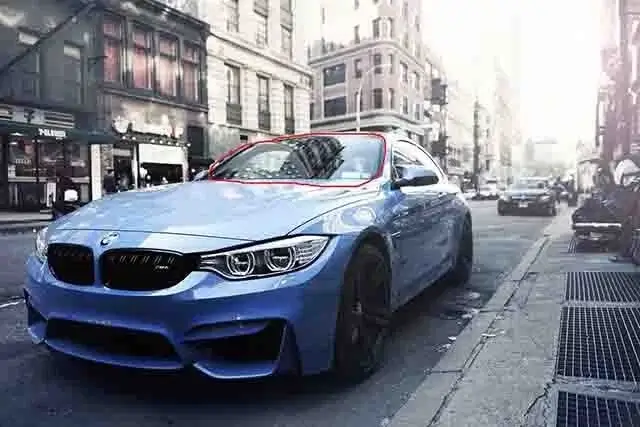
Car mirrors often reflect the photographer or nearby objects. Removing these reflections makes the photo look more realistic and professional.
How to Remove Reflections:
- Use a Clone Brush tool to select a clean nearby area.
- Replace the reflection with surrounding pixels.
- Repeat until mirrors appear natural.
5. Managing Shadows

Shadows can make a photo look better or worse. Adjusting shadows properly keeps the image realistic and keeps the focus on the car.
Tips:
- Remove overly harsh shadows.
- Shorten or soften shadows to match the lighting.
- Maintain some natural shadow for realism.
6. Highlighting Car Parts

Buyers often want detailed views of interiors, engines, or other features. Highlighting these parts helps customers understand the car’s comfort and quality.
How to Highlight Parts:
- Capture close-ups of key areas.
- Enhance clarity using brightness, contrast, and sharpening.
- Show details like seating, dashboard, and engine features.
7. Enhancing Colors

Color is very important to catch a buyer’s attention. Editing colors makes the car look bright, clear, and true to real life.
Tips:
- Apply color correction for true-to-life shades.
- Adjust saturation and contrast to enhance appeal.
- Avoid over-editing to keep images realistic.
Benefits of Automotive Photo Editing
Professional automotive photo editing provides:
- Increased visual appeal: Cars look more attractive online.
- Better brand visibility: Logos and text strengthen recognition.
- Higher engagement: Buyers spend more time viewing detailed, polished images.
- Improved sales: Attractive photos help convert visitors into customers.
Conclusion
High-quality car images are crucial for automotive businesses. While street photos capture the basic image, editing transforms them into marketing assets that attract customers and drive sales. Professional automotive photo editing is no longer optional—it’s essential for success in today’s competitive car market.