
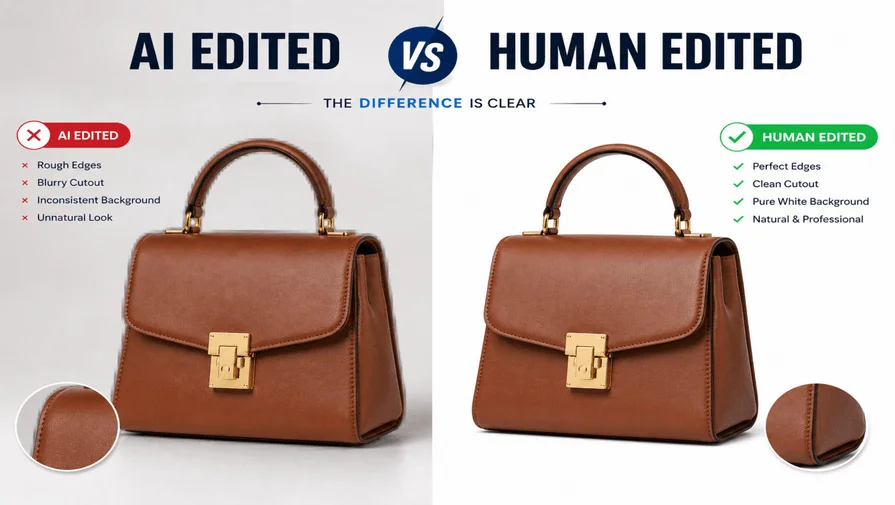
In 2026, Photo editing has dramatically evolved with the rise of AI technology. Some AI tools, like Remove.bg, Zap, Backgrounds in One Click, Canva AI, and Photoshop’s Generative Fill, can change or edit an image and its background in a few seconds. It has created a distinction between AI and human editing. Human image editing takes a bit of time to edit or remove the background. In that context, AI can save time, reduce human effort, save costs, and provide other benefits, but it has some limitations compared to humans.
Artificial Intelligence (AI) is a research, decision-making, and answer-giving technology. The AI revolution has brought massive changes to the current world that reduce human effort, save time, and budget. In 2026, AI has a huge impact on the photo editing industry. People can easily remove image backgrounds, convert image formats, remove watermarks, and so on. Artificial Intelligence (AI) assists humans in editing and making a design more eye-catching by applying designer creativity or a creative prompt, and AI suggestions.
Now we will see here what the comparison is between AI photo editing and a human product photo editing solution. We will also refer to Clipping Path, Background Removal, and Photo Retouching as the easiest way between humans and AI. After that, make a decision: Who is the best (AI or human) for your image editing industry?
Rise of AI in Photo Editing
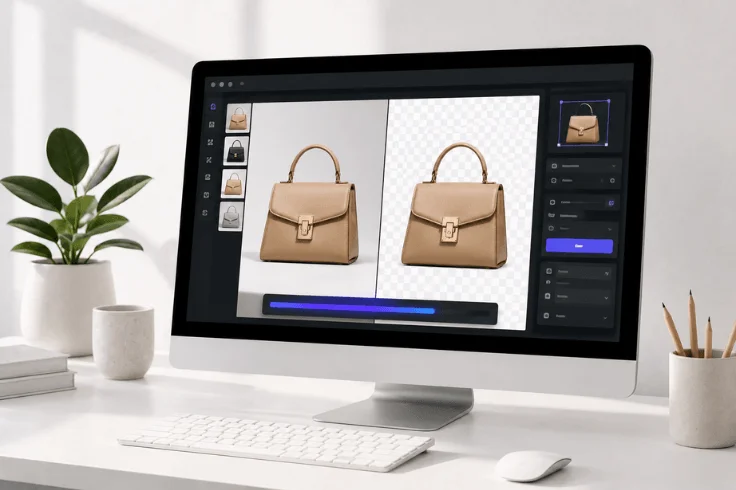
AI has massively changed the image editing industry in 2026. It takes a very short time to edit, remove the background, mask, retouch, etc. While the manual process would take a long time to do the same tasks. Many E-commerce business (Small) owners are saving time, cost, and ensuring a speedy workflow. However, let’s see what AI tools have made it easy to edit product photos for any business.
Popular AI Tools in 2026
AI tools are becoming more popular gradually due to their user-friendliness, easy to use, and the ability to optimize images within a short time. Simple usability and an urgent result have made AI more popular among users. However, let’s see some of the major AI tools that are highly used in the clipping path and image editing industry.
| AI Tools Name | Best For | Major Strengths |
|---|---|---|
| Remove.bg | Quick one-click removal, API | Give fast, reliable, high-quality images |
| Photoroom | E-commerce & product photos | Bulk processing, templates, AI backgrounds |
| Claid.ai | E-commerce workflows | Removal + resizing, upscaling, AI backgrounds, API |
| Adobe Express (Firefly) | Professional design & complex images | Easy to integrate with Adobe tools for high-polish images |
| Canva | Ready templates, social media & quick designs | Built-in editor, templates, easy integration |
| Removal.ai | Instant, no-signup use | Fast removal & batch support |
| LetsEnhance.io | Low-quality images and enhancement | Image removal & restoration |
| WaveSpeed AI | Completely free, high-res | Watermark and fast |
| Flonnect | All-in-one workflows | Full pipeline (removal, generation & enhancement) |
| Mockey.ai | Fast product/mockup images | Drag-and-drop speed & accuracy |
| Claid.ai | E-commerce workflows | Remove, resize, and upscale the image background. |
So, our real comparison says the above tools are used widely in the image editing platform. Many designers or image editors use those tools to make their daily tasks easier. There is a frequent question: Is an AI tool free to use? Not really; most photo editing AI tools have some limitations in use. Some free features and advanced features are premium.
AI-Powered Photo-Editing Apps
AI photo editing apps are mobile applications used to edit image-related tasks. Here are some stunning Mobile apps (Android and iOS). Let’s check them out.
| App Name | Best For | AI Features | Pricing | Platforms |
|---|---|---|---|---|
| Lensa AI | Portraits & Selfies | Magic Avatar, AI Retouch, Background Remove, Face Enhancement | Free with limited features & subscription-based | Android & iOS |
| Photoroom | Product photos & Background removal | One-tap BG remove, AI templates, Batch editing, Background generator | Free + Premium | Android & iOS |
| Adobe Lightroom Mobile | Professional & RAW editing | Generative Remove, AI Masking, Lens Blur, Auto Enhance | Free + Premium Subscription | Android & iOS |
| PicsArt | Creative & Social media edits | AI Background, Object Removal, Generative tools, Filters | Free & premium | Android & iOS |
| Adobe Photoshop Express | Quick pro fixes & Generative edits | Generative Fill, Object Remove, AI Healing, Cutout | Free & Premium | Android & iOS |
| Pixelcut | Product & Fast mobile editing | AI Background Remover, Magic Eraser, Templates | Free & Pro | Android & iOS |
| Luminar Neo Mobile | Creative AI edits | Sky Swap, 3D Relighting, AI Enhancements, Portraits | Paid (one-time or subscription) | Android & iOS |
| YouCam Perfect | Beauty & Selfie retouching | AI Skin Retouch, Makeup, Body Slim, BG Change | Free + Premium | Android & iOS |
| Remini | Old/Blurred photo restoration | AI Face Enhancement, Restoration, Upscale | Free limited feature + Paid | Android & iOS |
| CapCut | Photo + Video editing | AI Cutout, Background Remove, Effects & Enhancements | Limited advance feature in the Free plan | Android & iOS |
Limitations of AI Photo Editing
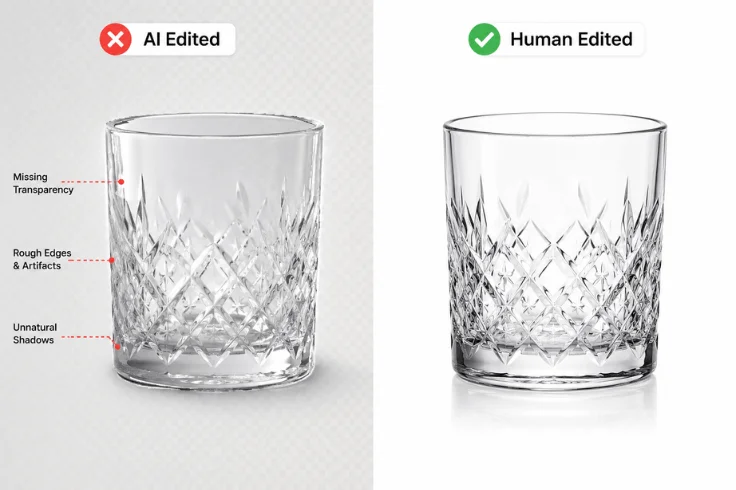
In 2026, AI product photo editing tools, such as Photoroom, Lightroom, Lensa, and Photoshop Generative Fill, are powerful but have some limitations. We have discovered some of the top limitations of AI in the photo editing platforms that people must avoid.
1. Inaccurate Photos
Accuracy is an important part of editing images. AI often makes mistakes for some detail structure, like hair, fur, edges of clothes, or transparent objects. The result looks rough or unnatural. In that case, humans can do those things perfectly.
2. Unnatural look
In this context, AI is not more professional. AI-designed images or edited images look unnatural and robotic due to some unwanted design structure, such as color, smoothness, lighting, etc., which looks unprofessional. Human design is a winner here because a designer uses different kinds of features to make an image realistic and uses an appropriate color combination that exactly matches the image.
3. Struggles with Complex Images
AI is best for simple and single-type images. It is very painful for hard-to-edit group photos, crowded backgrounds, or images with bad lighting. In that case, human editing becomes sharp, aesthetic, and realistic. AI is not advanced yet; AI tools are still struggling to do bulk image editing, remove backgrounds, perform sufficient color correction, and so on.
4. Drop Image Quality
Most AI tools rely on prompts. In that case, AI cannot give the expected quality of images. In that case, there is a massive chance of dropping image quality. Therefore, if a user wants to give a prompt and reshape it again, then the AI-generated or AI-designed image loses its quality.
5. Not Enough Creative
In the photo editing industry, AI is not yet creative enough. This is because AI has no real taste or judgment. It cannot understand emotions, style, or artistic feel like a human editor. In that case, a human editor is more advanced than Artificial Intelligence (AI).
6. Still Needs Human Touch
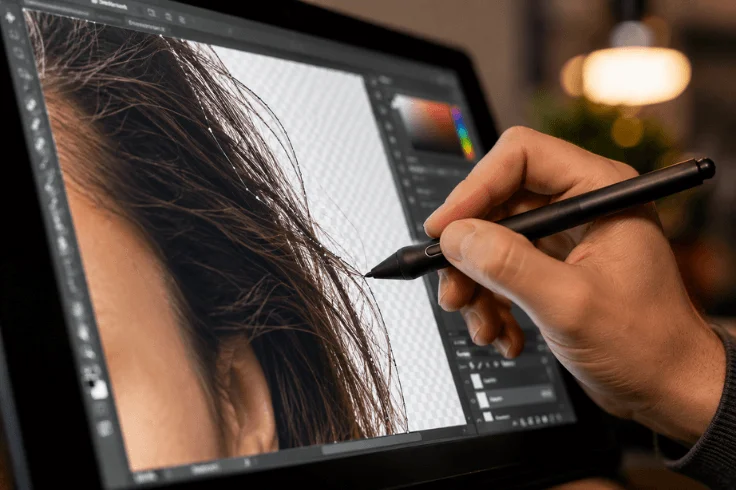
AI made the product photo editing task easy, but AI is not super smart yet. For professional or important work, AI alone is not enough. For making an image final, a human touch is required.
It is noted that AI is not over humans. If a designer uses AI to get design ideas and apply their own creativity to any specific task (editing, BG removal, color correction, etc.), then the result becomes outstanding.
Suggestion: Use AI as an assistant, which will save time, remove working stress, give better ideas, and increase production. So, always keep in touch with AI photo editing and human editing to obtain massive results.
Standard Human Photo Editing
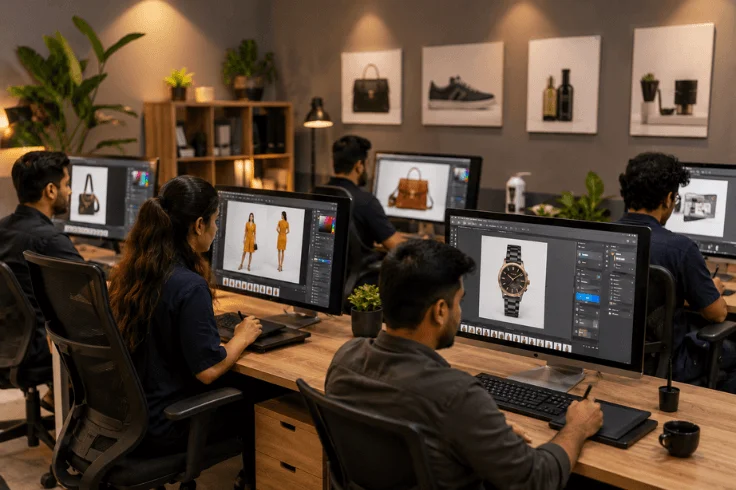
In 2026, AI tools are fast and cheap. But human photo editing remains the true professional standard for high-quality results. When your business depends on perfect product images, human expertise delivers the precision, creativity, and consistency that AI still cannot match.
At Clipping World, our experienced team combines advanced tools with skilled hands to deliver images that look natural, clean, and highly professional.
1. Complex Background Removal
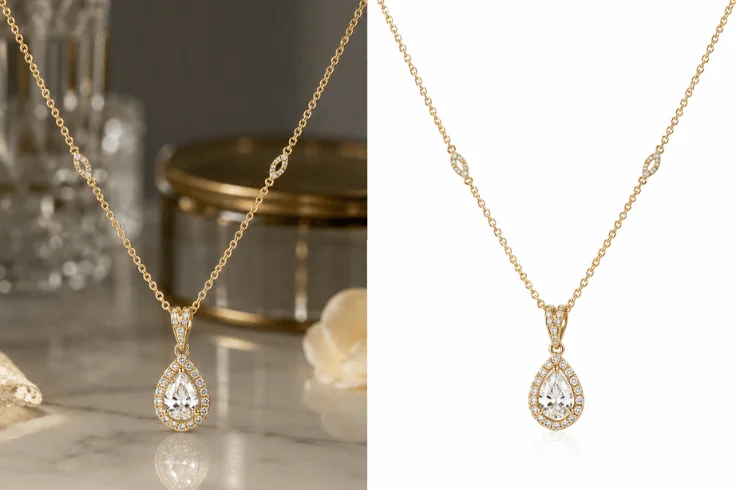
Some images are simple. Others are extremely challenging, such as curly hair, transparent glass, furry products, or models wearing intricate clothing. AI tools often create rough, unnatural edges on these complex photos. Our (Clipping World) professional editors carefully work pixel by pixel to create smooth, clean, and natural-looking cutouts. We pay close attention to every tiny detail. So that your product stands out beautifully against any background, whether it’s pure white, a ghost mannequin, or a lifestyle scene.
2. Natural Photo Retouching & Beauty Enhancement
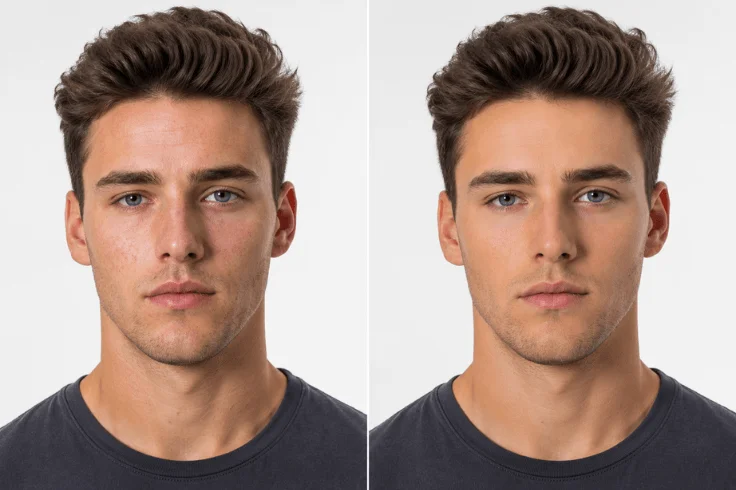
Good retouching doesn’t mean making people look fake. It means enhancing their natural beauty while keeping them real. Our expert retouches gently improve skin texture, adjust lighting, brighten eyes, and fix minor imperfections. The final result? Professional, attractive, and trustworthy photos that build customer confidence and increase conversion rates.
Head-to-Head Comparison: AI vs Human Photo Editing
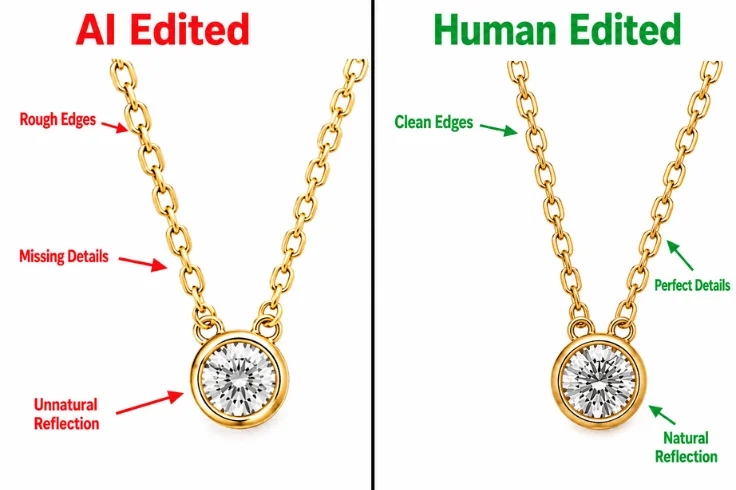
In 2026, AI photo editing has seen massive growth. Some photo editing tools like Remove.bg, Photoroom, Claid.ai, Adobe Photoshop Generative Fill, and Pixelcut have made image background removal and basic editing fast and affordable.
However, despite this explosion of AI tools, many medium and big size ecommerce business, such as Amazon, Shopify, eBay, Flipkart, Alibaba, and other sellers, face serious quality issues. These issues include unnatural edges, poor hair detail, plastic-looking skin, inconsistent results, and rejected images by Amazon.
| Criteria | AI Photo Editing | Human Editing | Best Performer |
|---|---|---|---|
| Speed | Extremely Fast | Medium (minutes to hours) | AI |
| Accuracy & Quality | Good for simple images | Pixel-perfect, even on complex edges | Human |
| Complex Details (Hair, Fur, Lace, Jewelry | Struggles often create artifacts | Excellent precision | Human |
| Natural Look & Skin Retouching | Often looks plastic or over-processed | Natural and realistic enhancement | Human |
| Consistency Across Batch | Inconsistent | Highly Consistent | Human |
| Custom Work | Limited or Poor | Fully Customizable & Professional | Human |
| Amazon Compliance | Often fails strict requirements | Meets all Amazon guidelines | Human |
| Cost per Image | Very Low ($0.05 to $0.25) | Higher ($0.35 to $1.50) | AI |
| Best For | Simple products, small volume, testing | Fashion, Jewelry, Furniture, High-value stores | Depends |
| Overall Quality | 6.5 / 10 | 9.5 / 10 | Human |
Many successful sellers now follow a Hybrid Approach using AI for the first draft and professional editors for final polishing. This gives the best balance of speed and quality.
When Should You Use AI and Human Editing?

AI background removal tools are powerful, but they are not the right solution for every situation. You have to know when to use AI and when to choose professional human editing, and what can save you both time and money.
Best Use Cases for AI
AI tools work best when you need speed and affordability more than perfection. Here are the ideal situations to use AI:
- Simple Product Photo Editing: Basic items like mugs, phone cases, books, or solid-colored products with clean edges.
- High-Volume Bulk Photo Editing: When you have hundreds or thousands of images and need simple editing and quick turnaround.
- Social Media Platforms: For Instagram, Facebook, or initial product testing, where perfect quality is not mandatory.
- Small Businesses & Startups: When you are on a tight budget and selling low-to-medium priced items, then an AI tool may be your best option.
- Quick Mockups & Prototypes: Creating fast visuals before final product photography, an AI tool can be the best choice.
Note: Always check AI-edited images carefully before uploading them to Amazon or your business platform, because AI is best for simple editing only. So, to ensure sufficient image quality, a human touch is needed.
When to Choose Professional Services by Human
You should choose professional human photo editing when image quality directly impacts your sales and brand reputation. Here are the situations where human expertise is worth the investment:
- For Fashion, Apparel & Clothing: Complex fabric details, folds, and ghost mannequin effects need human precision.
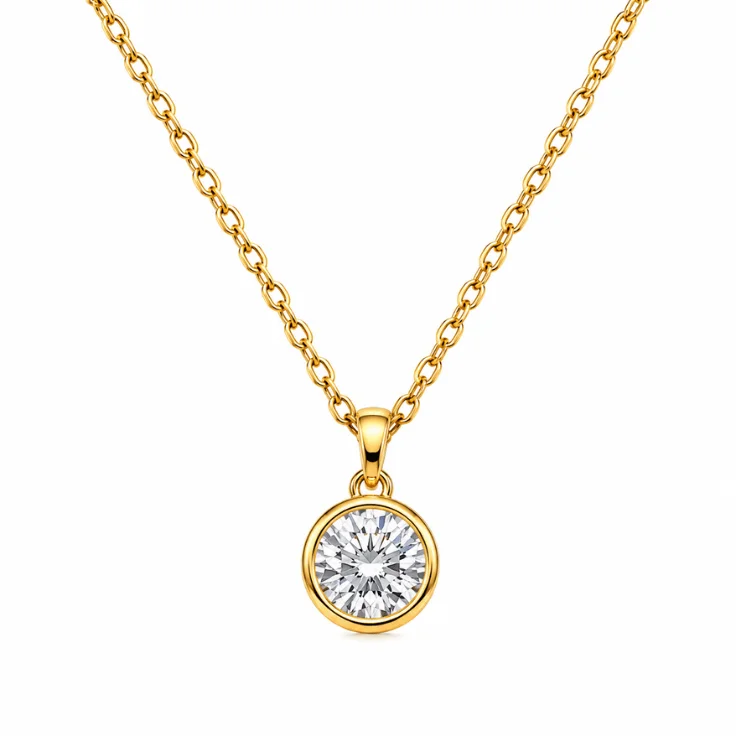
- Jewelry & Accessories: Fine chains, gemstones, and reflective surfaces require pixel-perfect editing.
- High-Value Product Photos: Furniture, electronics, cosmetics, and luxury items where trust and professionalism matter.
- Amazon & Premium E-commerce Marketplaces: When you need to strictly follow Amazon’s image guidelines and want higher conversion rates.
- Brand Consistency: When selling across multiple platforms and need the same professional look for all images.
- For Complex Images: Products with hair, fur, transparent objects, models, or busy backgrounds.
Professional editors deliver clean, natural, realistic, and consistent quality of product images that AI still struggles to match. There are over 30 million Ecommerce websites globally. In 2026, most of them work through a mixed process or combine process (AI & Human Editing) to get better output and ensure stunning image quality.
AI Photo Editing Tool For
- Bulk image processing
- Fast editing
- Draft editing
- Background detection
- Workflow automation
Human Editors For
- Final retouching
- Image quality control
- Luxury product editing
- Ghost mannequin
- Jewelry photo retouching
- Photo color accuracy
- Maintain brand consistency
- Better ad creatives
Why eCommerce Sellers Choose Professional Photo Editing Instead of AI
Over 55% of online sales rely on image quality. For this reason, business owners always focus on image quality. In that case, thousands of successful eCommerce sellers still prefer professional photo editing services. Let’s see in detail why eCommerce sellers like to get product photos from a professional editor.
1. Faster Sales with High-Quality Images
High-quality images with clean backgrounds, natural shadows, and perfect edges help customers visualize the product better. It leads to higher click-through rates and faster purchasing decisions.
2. For Better Amazon & Shopify Ranking
Amazon and Shopify favor professional, policy-compliant images. High-quality photos improve your listing quality score, conversion rates, and help you rank higher in search results.
3. Strong Brand Consistency
Professional editors maintain the same high standard across all your images, with consistent white backgrounds, lighting, shadows, and style. This builds a strong, professional brand identity that customers remember and trust.
4. Time & Cost Efficiency in the Long Run
While professional editing may cost more upfront, it saves you significant time and money. You avoid Amazon rejections, reduce customer returns, and spend less time fixing poor-quality images. Most importantly, better images generate more sales and higher profits.
Our Photo Editing Services (Clipping World)
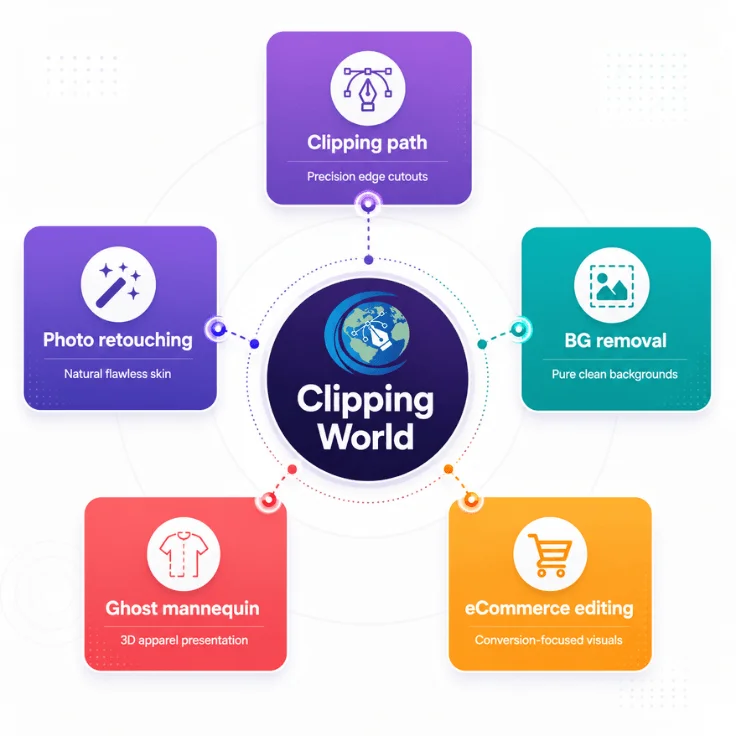
At Clipping World, we specialize in delivering high-precision, eCommerce-ready photo editing services. With years of experience and a dedicated team of expert editors, we help brands and sellers get stunning product images that convert.
1. Clipping Path Services
We provide accurate clipping path services for simple to highly complex images. Whether it’s basic cutouts or multi-path deep etching for fine details like jewelry chains or fabric edges, we deliver pixel-perfect results every time.
2. Image Background Removal
Get clean, pure white backgrounds or transparent PNGs in record time. Our background removal service meets strict Amazon, Shopify, and eBay requirements, ensuring your listings get approved quickly.
3. Photo Retouching & Beauty Retouching
We enhance your photos naturally. From removing blemishes and adjusting lighting to professional beauty retouching, we make your models and products look their best while keeping them realistic and authentic.
4. eCommerce Photo Editing
Our complete eCommerce photo editing package includes background removal, color correction, resizing, and optimization tailored specifically for online marketplaces. We understand what converts on Amazon, Shopify, Etsy, and WooCommerce.
5. Ghost Mannequin, Shadow Creation & More
We offer advanced ghost mannequin service, including:
- Ghost Mannequin or Invisible Mannequin Effect
- Natural Drop Shadow and Reflection Shadow
- Product Manipulation and Color Change
- Image Resizing & Enhancement
Frequently Asked Questions (FAQ)
AI is good for very simple products, but not good enough for most professional eCommerce stores. AI tools are fast and cheap; they often produce unnatural edges, inconsistent quality, and fail to meet strict standards.
Yes, we can. We are experts at matching your exact brand aesthetic. Whether you have a specific white background shade, shadow style, color grading, or retouching. Please share your brand guidelines or sample images. Our team will carefully study them and deliver every photo in your unique brand style.
Yes, we offer completely free test edits. Send us 5 to 10 of your sample images along with your requirements. We will edit them professionally at no cost and no obligation. It allows you to evaluate our quality, attention to detail, and communication before making any commitment.
Final Thought
Our informative article is on AI Photo Editing vs Human Editing. We have researched a lot by showing the head-to-head comparison. We have found merits and demerits from both sides (AI &Human). Now it is clear to us that AI is not over human yet. AI is not ready for smooth operation yet. AI can be the assistant of humans, and a designer can enhance productivity, image editing accuracy, color, BG removal, and other clipping path services using AI and manual touch. It saves time, increases productivity, and saves staff costs as well.