
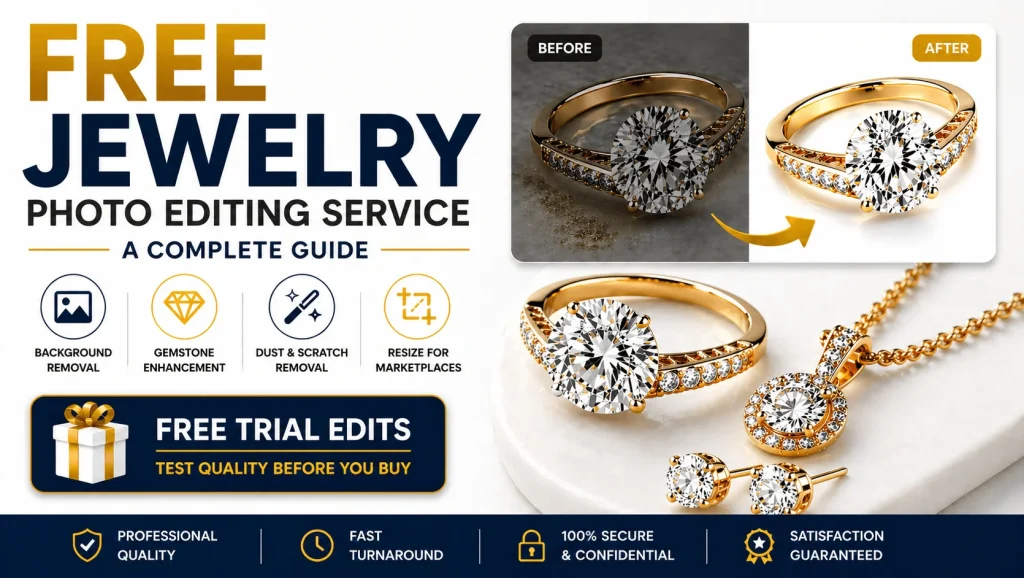
A free jewelry photo editing service can be the difference between a sale and a scroll. A blurry ring photo or a dull necklace image can cost you a customer, no matter how beautiful the jewelry actually is.
In today’s competitive ecommerce market, your product photos are your storefront window. They either make customers stop scrolling or keep them moving.
That’s why jewelry photo editing isn’t a luxury. It’s a necessity.
The good news? You don’t always need to spend a lot to get professional results. Many companies offer free trial edits, so you can test quality before placing a bulk order.
This guide covers how to get a free jewelry photo editing service, the best free tools available, and how to choose the right editing partner for your business.
What Is Free Jewelry Photo Editing Service?
Free jewelry photo editing service allows sellers to send 1–3 sample product images to professional editors for free. This helps them test editing quality before placing bulk orders.
Why Jewelry Photo Editing Matters More Than You Think
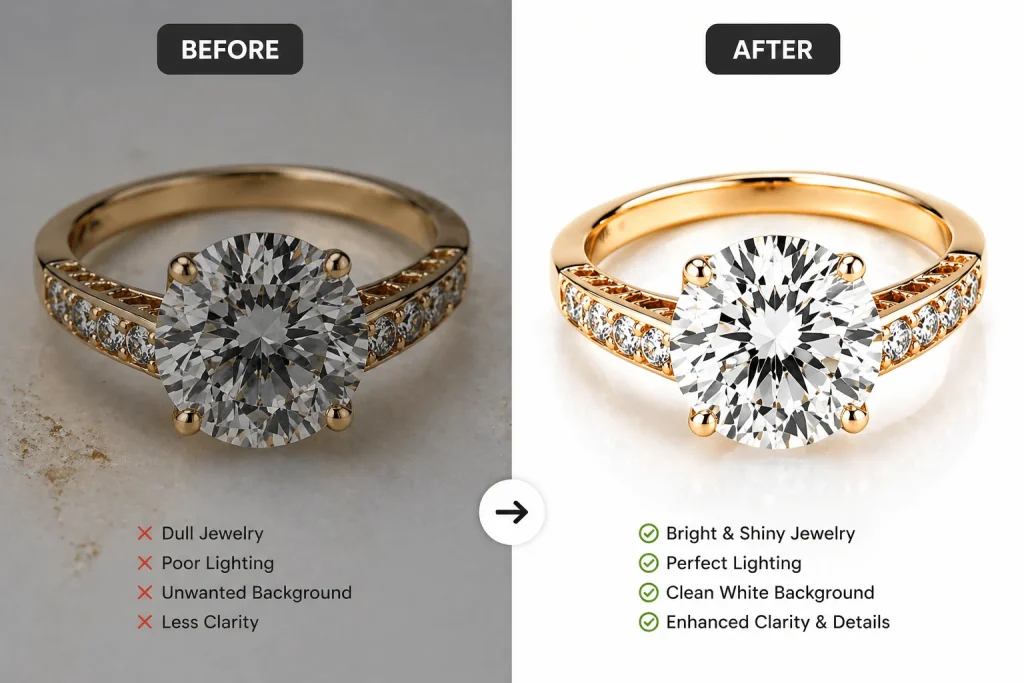
Even a great camera cannot make raw jewelry photos look perfect. Under a macro lens, tiny dust particles, scratches, and color problems become very easy to notice. Things that look fine in person can completely ruin a product photo.
Unedited jewelry images often have:
- Dust and scratches on metal surfaces
- Gemstones that look dull and flat
- Gold, silver, or platinum that looks the wrong color
- Backgrounds that distract from the jewelry
- Shadows or reflections in the wrong places
A good editor fixes all of this. The difference in the final image is hard to miss. Clean metal, sharp gemstones, pure white background. The kind of photo that makes someone stop and actually click.
Here’s what professional jewelry editing actually does:
- Gemstone sparkle — makes diamonds, rubies, and emeralds look bright and eye-catching
- Metal color correction — gold looks warm, platinum looks cool, silver looks natural
- Clean white background — pure white (#FFFFFF), ready for Amazon, Etsy, and Shopify
- Dust and scratch removal — removes every small mark that shows up in close-up photos
- Natural shadows — adds depth so the jewelry looks three-dimensional, not flat
- Platform sizing — resizes and crops images to fit each marketplace’s requirements
Jewelry Product Photography Checklist Before Editing
Great editing starts with a great shot. Even the best retoucher cannot fix a heavily blurred or poorly lit image. Before sending photos for editing, make sure your shoot covers these basics.
Camera & Setup
- Shoot in RAW format if possible. Gives editors more latitude to correct color and exposure
- Use a tripod to eliminate camera shake
- Set white balance manually. Daylight or Cloudy settings work well for jewelry.
- Shoot at a low ISO (100-400) to avoid digital noise
Lighting
- Use two soft light sources placed at 45 degrees on each side of the jewelry
- Avoid direct overhead light as it creates harsh glare on metal
- Use a lightbox or diffuser for softer, more even illumination
- A white foam board reflector on the opposite side fills in shadows nicely
Background
- Use a pure white card or sweep, not fabric, which shows texture
- Keep the background at least 30 cm behind the jewelry to avoid shadows
- A light grey background is also acceptable; it photographs as white after editing
The Jewelry Itself
- Clean the piece thoroughly before shooting. A microfibre cloth removes fingerprints
- Use invisible wire, ring stands, or poster putty to position pieces naturally
- Shoot multiple angles: front, side, detail close-up, and lifestyle if relevant
Best Free Jewelry Photo Editing Tools
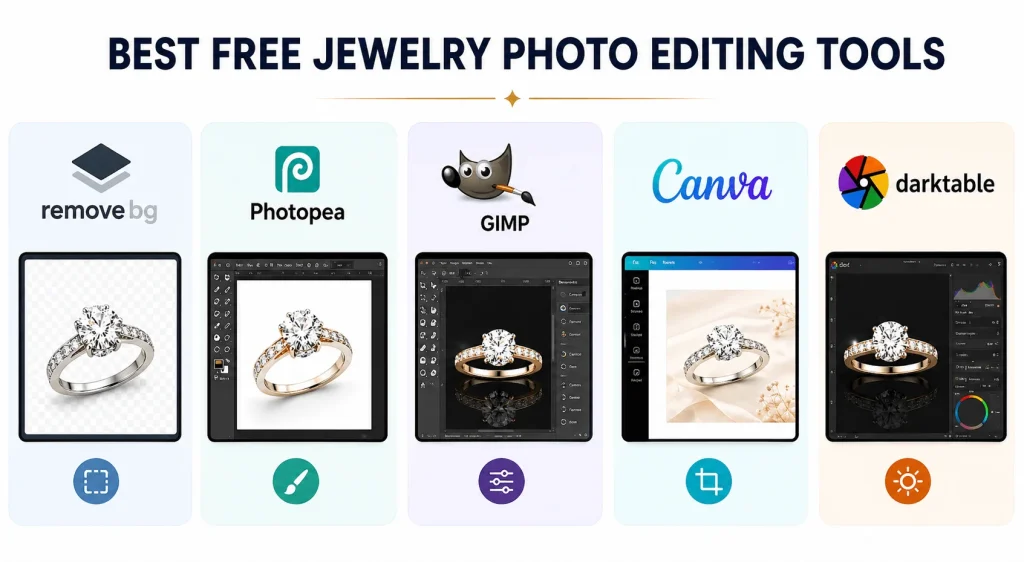
You don’t always need to hire a professional editor. These free tools can handle most standard jewelry editing tasks, from background removal to color correction and dust cleanup.
1. Remove.bg — Best for Quick Background Removal
Cost: Free (low-resolution previews) | Platform: Browser-based
Remove.bg uses AI to cut out backgrounds automatically. It handles fine chains, prong settings, and even transparent gemstones better than most manual selections. The free plan gives unlimited low-resolution downloads, good enough for social media.
- Best for: Quick background removal for social posts, testing, or low-volume sellers
- Limitation: Cannot do retouching, color correction, or dust removal
2. Photopea — Best Free Alternative to Photoshop
Cost: Completely free (ad-supported) | Platform: Browser-based, no installation needed
Photopea is the closest thing to Photoshop that exists for free. It supports PSD files, layers, masks, curves, clone stamp, and healing brush, virtually every tool a jewelry retoucher needs.
- Best for: Full retouching, dust removal, color correction, background replacement
- Limitation: Can lag on very large files in the browser
3. GIMP — Best Open-Source Desktop Editor
Cost: Completely free, open-source | Platform: Windows, Mac, Linux
GIMP is a full-featured image editor and has been the go-to free Photoshop alternative for decades. It offers everything needed for jewelry retouching: layers, curves, clone tool, healing tool, dodge and burn, and advanced selection tools.
- Best for: Desktop users who want professional editing power without browser dependency
- Limitation: Interface is less intuitive; some masking workflows take longer
4. Canva — Best for Quick Cleanup and Listing Images
Cost: Free tier available; Pro unlocks background remover | Platform: Browser and mobile
Canva is excellent for resizing, adding white backgrounds, and creating ecommerce listing graphics. Not a retouching tool, but a very practical finishing step.
- Best for: Resizing for platform requirements, listing layouts, social media posts
- Limitation: Not suitable for detailed retouching or professional-level editing
5. Darktable — Best for RAW Color Correction
Cost: Completely free, open-source | Platform: Windows, Mac, Linux
Darktable is a RAW photo processor — think Lightroom, but free. It excels at correcting white balance, adjusting exposure, removing color casts, and processing RAW files before they go into a retouching tool.
- Best for: Correcting RAW files before retouching
- Limitation: Not suitable for detailed pixel-level retouching like dust removal
Free Trial Services — Professional Quality at Zero Cost
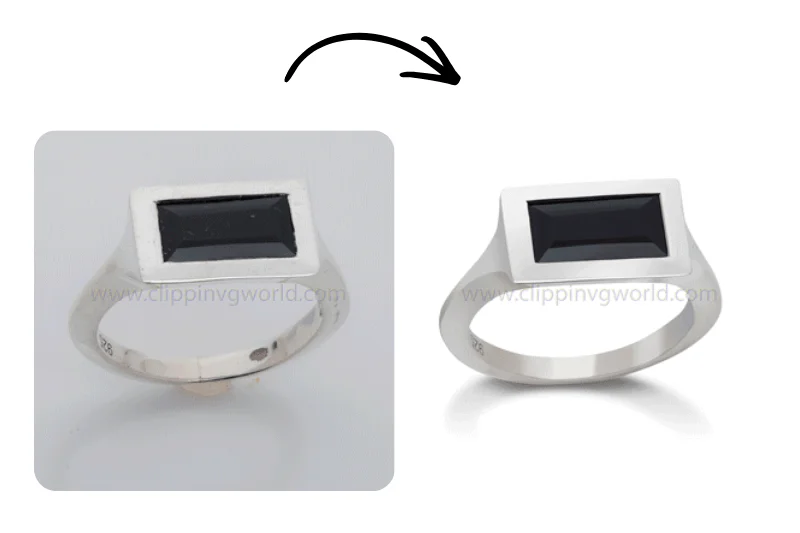
Several professional services offer 1 to 3 free sample edits for new clients, giving you professional-quality retouching at zero cost, with no software to learn.
Clipping World is a dedicated jewelry photo retouching service offering up to 2 free trial edits for new clients. They specialize in gemstone enhancement, metal color correction, dust and scratch removal, and marketplace-ready background replacement with turnaround times as fast as 24 hours.
To find other providers, a quick search for ‘jewelry photo editing free trial’ is a good starting point. Focus on companies that show actual jewelry portfolios, not just generic product shots, and have real reviews from ecommerce sellers.
Submit one or two images, specify your requirements clearly, and evaluate the result before committing to paid orders. Test multiple services by sending the same image to two or three providers to compare quality side-by-side.
Free Jewelry Photo Editing Service: Step-by-Step Guide
Getting a free professional editing trial is one of the easiest ways to test jewelry photo editing quality before placing a paid order. By choosing the right provider and sending clear instructions, you can compare results, save money, and find the best service for your business.
Step 1: Find Companies That Specialize in Jewelry Retouching
Search specifically for jewelry photo editing services rather than general photo editors. Look for providers who show before-and-after samples of rings, necklaces, earrings, bracelets, and watches, not just portraits or generic products.
Step 2: Review Their Portfolio and Credibility
Before submitting any images, spend five minutes reviewing the company’s website.
Look for:
- A dedicated jewelry portfolio with before-and-after comparisons
- Client testimonials from jewelry brands or ecommerce sellers
- Clearly stated turnaround times, reliable services offer 12-48 hour delivery
- A transparent pricing page for bulk orders
- A revision policy that any professional service should offer at least one free revision
Step 3: Choose Your Best Unedited Images
Submit images that represent your actual working conditions. The goal is to test how the service handles your typical photography setup, not your perfect shots. Choose photos showing the jewelry clearly, with real imperfections you want corrected.
Step 4: Communicate Your Requirements Clearly
When submitting, write a specific brief. For example:
Please remove the background and replace it with pure white (#FFFFFF). Remove visible dust and scratches on the band. Enhance the diamond sparkle naturally, not overdone. Correct the gold color; it looks slightly orange in the raw file. Add a soft drop shadow at the bottom.
The more specific your instructions, the better the output.
Step 5: Evaluate the Edited Images Thoroughly
When you receive your free trial edits, do a proper review:
| What to Check | What to Look For |
|---|---|
| Background | Pure white background with clean edges |
| Retouching | Natural-looking, no over-smoothed |
| Color accuracy | Metal tones match the real product |
| Gemstone quality | Sparkle enhanced but not exaggerated |
| Edges and clipping | Clean cuts around fine chains, prongs, and filigree |
| Turnaround time | Delivered when promised? |
| Communication | Questions answered promptly and professionally? |
Platform-Specific Image Requirements
Different ecommerce platforms have different technical requirements. Editing to the wrong spec means your images may be rejected or display poorly.
| Platform | Background | Min Resolution | Max File Size | Best Size |
|---|---|---|---|---|
| Amazon | Pure white (#FFFFFF) mandatory | 1000 x 1000 px | 10 MB | 2000 x 2000 px |
| Etsy | White preferred; lifestyle allowed | 2000 px shortest side | 20 MB | 2700 x 2025 px |
| Shopify | No strict requirement | 800 x 800 px min | 20 MB | 2048 x 2048 px |
| eBay | White preferred | 500 x 500 px | 7 MB | 1600 x 1600 px |
| No requirement | 1080 x 1080 px | — | 1080 x 1080 px | |
| No requirement | 1000 x 1500 px | — | 1000 x 1500 px |
Key Notes
- Amazon is the strictest; the main image must have a pure white background with the product filling at least 85% of the frame. No props, text, or watermarks.
- Etsy is more flexible. You can use lifestyle images with props, and these often work well for jewelry products.
- Always keep the original image in full size and high quality before creating smaller versions for different platforms.
Free vs Paid — What’s the Real Difference?
| Feature | Free Tools (DIY) | Free Trial | Paid Service |
|---|---|---|---|
| Cost | $0 | $0 (limited images) | $0.50 – $5 per image |
| Quality ceiling | Good | Excellent | Excellent |
| Turnaround | Your own time | 12-48 hours | 12-48 hours |
| Volume capacity | Unlimited | 1-3 images | Unlimited |
| Consistency | Varies | High | High |
| Best for | Small sellers, learning | Testing quality | Bulk orders, scaling |
| Revisions | Unlimited | Usually 1 revision | 1-2 revisions |
Free tools give you full control at zero cost. But they do take time and skill to learn. Free trials are the easier option if you want to see professional quality without spending anything. Paid services make sense once you’re editing 20 to 30 images a month and your time is worth more than the per-image cost.
DIY vs Hire a Pro — Which One Is Right for You?
Choosing between DIY editing and hiring a professional depends on your budget, time, and business needs. Here’s how to decide which option works best for you.
Choose DIY Free Tools If
- You sell fewer than 20 products and rarely add new listings
- You have time to learn basic Photoshop or Photopea skills
- Your budget is very tight, and every dollar matters
- You enjoy the editing process and want creative control
- Your platform allows lifestyle images where perfect white backgrounds are less critical
Recommended free stack: Darktable (RAW processing) > Photopea (retouching) > Remove.bg (background removal) > Canva (resizing)
Choose Professional Service If
- You sell 30 or more products per month, or regularly add new listings
- You sell on Amazon, where white background requirements are strict and unforgiving
- You sell luxury or high-end jewelry where image quality directly reflects brand value
- Your time is better spent on sourcing, marketing, or customer service
- You need a consistent style across hundreds of images for a catalog or lookbook
The Hybrid Approach
Many successful sellers use both. They shoot and do basic color correction themselves using free tools, then send final images to a professional service for background removal, dust retouching, and sparkle enhancement. This reduces the per-image workload and can lower costs while maintaining quality.
How to Choose the Best Jewelry Photo Editing Service
Once you’ve run a free trial with one or two providers, here’s how to evaluate them for a long-term relationship, not just a one-off edit.
Jewelry-Specific Expertise
Ask directly: Does the company have dedicated jewelry editors, or do they handle all product types with a generalist team? The difference is most visible in gemstone enhancement and fine metalwork. A generalist often over-smooths surfaces or misses micro-scratches that a jewelry specialist catches.
Scalable Bulk Pricing
Ask about per-image rates for batches of 50, 100, and 500 images. Pricing should drop meaningfully at scale, typically from $3–$5 per image for small batches to under $1 at volume. If the price stays flat regardless of quantity, look elsewhere.
Revision Policy
Even great editors occasionally miss something. A reliable service will offer at least one free revision per image. No revision policy is a red flag.
Data Security
You’re sharing original, high-resolution images of your products. Confirm the company has a clear privacy policy and does not retain or share your files without explicit permission.
Communication speed
A provider who takes 48 hours to answer a pre-sale question will likely be slow when problems arise post-order. Responsiveness during the trial phase is a reliable signal.
Pro Tips for Getting the Best Results
- Try multiple services at the same time. Send the same image to 2 or 3 companies during the free trial and compare the results.
- Give clear instructions instead of simple requests. Tell them exactly what you need, like white background, sparkle enhancement, dust removal, or shadow adjustment.
- Check consistency, not just one good edit. A company should be able to deliver the same quality for all its product images.
- Ask about file formats before starting. Make sure they can provide JPEG, PNG with transparent background, or TIFF if needed.
- Save your editing instructions for future work. Once you get the style you like, keep those instructions so future edits stay consistent.
FAQs About Free Jewelry Photo Editing Service
Most companies offer 1 to 3 free sample edits for new clients. Some platforms also provide free tools with limited features or watermarked previews.
Yes, free tools like Photopea or GIMP can create Amazon-ready white background images. But it takes time and skill to make them look fully professional.
RAW files or high-quality JPEG files are the best choice. Higher-quality images help editors remove dust, fix colors, and improve gemstone shine more accurately.
Yes, many trusted companies offer free trials with no hidden charges. Just make sure to read the terms before submitting your images.
If you edit by yourself using free tools, it may take 20 to 45 minutes per image at first. With practice, it becomes faster. Professional services usually deliver within 12 to 48 hours.
Yes, tools like Remove.bg work well for background removal. But for detailed sparkle enhancement and fine retouching, professional editors still give better results.
Simple background removal usually costs around $0.50 to $1.50 per image. Full jewelry retouching may cost $2 to $5 per image, depending on the work needed.
Want to see how professional jewelry editing can improve your product images? Send 1–2 images for a free trial and compare the results before placing a bulk order.
Final Thoughts
In the jewelry business, product photos help sell your items before customers even talk to you. A well-edited photo shows quality, beauty, and trust in just a few seconds.
You can use free tools like Photopea and GIMP to edit your own images, or you can try a free trial from a professional editing service. The most important thing is to get started.
Do not let dull or unedited photos stop customers from buying your jewelry.
Start with one image. Try free tools. Test a professional service. Compare the results and choose the best method for your business.