
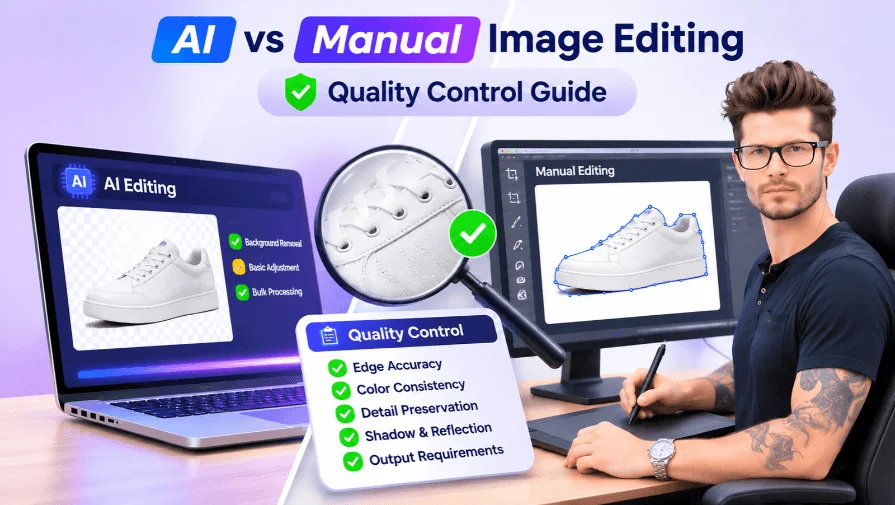
AI image editing can process product photos in seconds, but speed does not always guarantee accuracy. Manual editing offers greater control over complex details, while automated tools can simplify repetitive tasks. The real difference becomes clear during quality control.
For Shopify and Amazon sellers, even small editing defects can affect how products appear to customers. Rough edges, inaccurate colors, missing details, and unnatural shadows can make product images look unprofessional.
This guide compares AI vs manual image editing quality control, examines common editing errors, and explains how businesses can combine automation with human inspection to maintain consistent product image quality.
Why Quality Control Matters in E-commerce Image Editing
Product images play an important role in online shopping. Since customers cannot physically examine products before purchasing, they rely on photos to understand their appearance, color, texture, and details. Even small editing mistakes can make a product look different from its actual condition.
AI image editing tools can process product photos quickly, but automated results are not always accurate. Background removal errors, rough edges, and color distortions may affect the final image quality. These issues make quality control an essential part of e-commerce image editing.
Reviewing edited photos helps businesses identify visual defects and maintain consistent product presentation across their catalogs.
Common AI Background Removal Errors
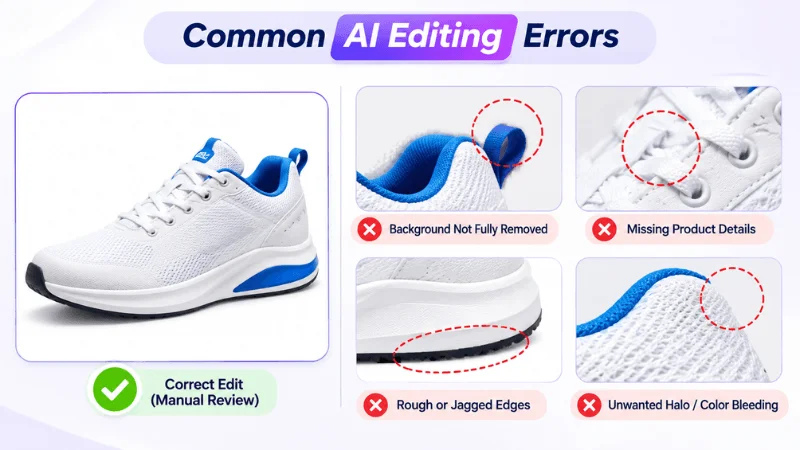
AI background removal tools can quickly separate products from their backgrounds by identifying differences in color, shape, and visual patterns. They often work well with products that have clearly defined edges and simple backgrounds. However, complex product details can make accurate selection more difficult.
For example, a white shoe photographed against a light background may have edges that blend into its surroundings. Similarly, transparent glass bottles, delicate jewelry chains, and lace garments can be challenging for automated selection tools.
Common background removal errors include:
- Inaccurate Removal: Original background remains around the product.
- Missing Details: Thin chains, handles, or fabric edges disappear.
- Leftover Pixels: Small background patches remain visible.
- Incorrect Selection: AI removes product parts that resemble the background.
These defects may not be obvious in small previews. However, they become more noticeable when product images are viewed at full size or placed against a contrasting background. Checking the edges and fine details before publishing helps prevent these issues from affecting the final presentation.
Edge Bleeding, Blurring, and Jagged Paths
Product edges need to look clean and natural after background removal. However, automated editing can sometimes produce unwanted visual defects, especially around objects with complex outlines, fine textures, or irregular shapes.
Some common edge-related problems include:
- Edge bleeding: Original background colors remain visible along the product outline.
- Rough or jagged edges: Curved surfaces and irregular shapes develop uneven outlines.
- Unwanted halos: Light or dark borders appear around the product after background removal.
- Blurred details: Fine elements such as jewelry chains, hair strands, and fabric textures lose their sharpness.
For example, an AI-edited shoe may have rough edges around its laces, while a piece of jewelry may lose the definition of its delicate chains. These imperfections can make product photos look less professional, particularly when displayed on large product pages.
Quality inspection helps identify these defects before delivery. For complex shapes, manual clipping paths and image masking can provide greater control over product edges and preserve details that automated selections may overlook.
Color Distortion and Product Accuracy Issues
Accurate product colors are essential for e-commerce photography. Customers often use product images to judge colors, materials, and finishes before making a purchase. If editing changes the original appearance, the final image may create misleading expectations.
AI-assisted editing tools can sometimes produce unwanted color changes, particularly when automatic enhancement or color correction settings are applied without careful review.
Common color-related issues include:
- Incorrect Saturation: Colors appear too bright or dull.
- Unnatural Colors: White or metallic products lose their natural tones.
- Lost Textures: Excessive adjustments reduce texture and detail.
- Inconsistent Colors: The same product looks different across catalog images.
For instance, a blue dress may appear more vibrant after automatic enhancement, or a gold necklace may lose its natural metallic appearance. Such differences can make it harder for customers to understand what they are actually purchasing.
Comparing edited images with original photographs and approved color references helps identify unwanted changes. Human inspection is also useful for checking whether textures, highlights, and product details remain consistent. These quality checks help e-commerce businesses maintain accurate and reliable product images.
AI vs Manual Image Editing: Key Quality Control Differences
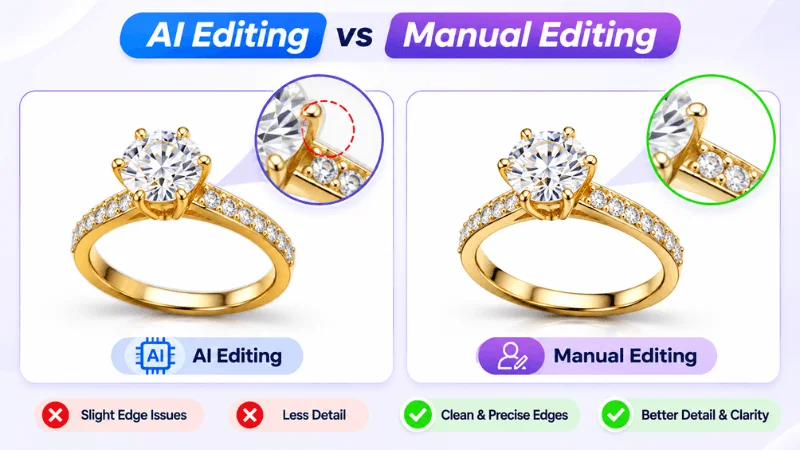
Manual and AI image editing can both produce professional product photos, but they offer different levels of control. AI tools process images quickly, while manual editing provides greater control over edges, colors, shadows, and fine details. The right approach depends on product complexity and quality requirements.
AI vs Manual Image Editing Comparison Table
| Comparison Factor | AI Editing | Manual Editing |
|---|---|---|
| Editing Speed | Fast processing | Takes more time |
| Edge Accuracy | Depends on AI detection | Precise control |
| Color Accuracy | Needs verification | Controlled adjustments |
| Fine Details | May miss details | Detailed refinement |
| Shadow Control | May vary | Direct adjustment |
| Transparency | Tool-dependent | Selective masking |
| Batch Consistency | Repeatable settings | Standardized guidelines |
| Quality Inspection | Needs human review | Direct visual inspection |
AI editing works well for repetitive tasks and simple product images. Manual editing offers more control over complex details and specific visual requirements. Neither method guarantees perfect results without quality checks. AI-edited images need human inspection, while manual edits also require final review.
Handling Complex Product Details
Some products contain details that AI tools may struggle to separate from the background. Manual editing helps preserve these features.
- Hair and Fur: Preserve fine strands and natural edges.
- Lace and Mesh: Retain small openings and fabric details.
- Transparent Glass: Protect reflections and transparent edges.
- Jewelry and Fine Chains: Maintain thin chains, stones, and precise outlines.
AI can handle initial editing, but complex images may need manual clipping paths or image masking.
Maintaining Consistency Across Product Catalogs
A professional product catalog needs consistent image presentation. Focus on these five elements:
- Backgrounds: Maintain the same background style.
- Cropping: Keep product size and positioning uniform.
- Colors: Preserve accurate product colors.
- Shadows: Maintain consistent direction and softness.
- Brand Guidelines: Follow standard image dimensions and styling.
AI tools can apply settings across large batches, but human inspection helps identify inconsistencies. Combining automation with manual quality checks creates a more reliable workflow for large product catalogs.
How to Evaluate Image Editing Quality: A Practical QC Checklist
A consistent quality control process helps identify editing errors before product images go live. Use this checklist to inspect the final results:
- Edge Inspection: Check for rough edges, halos, and leftover pixels at 100% zoom.
- Color Verification: Compare edited images with the original product photos.
- Detail Preservation: Inspect fine textures, patterns, and small features.
- Shadow Inspection: Check shadow direction, softness, and natural appearance.
- Background Accuracy: Look for unwanted objects and uneven backgrounds.
- Image Dimensions: Verify resolution, image size, and aspect ratio.
- Batch Consistency: Compare cropping, backgrounds, and colors across images.
- Final Review: Confirm compliance with client instructions and brand guidelines.
Following these checks helps maintain image quality, ensure consistent product presentation, and reduce avoidable editing revisions.
What Should a Reliable Image Editing Quality Assurance Process Include?
A reliable image editing quality assurance process ensures that every project follows clear production standards. It starts with reviewing project requirements, continues through editing and internal review, and ends with final approval. A structured workflow helps teams maintain quality and deliver images according to client expectations.
Layer 1 – Initial Image Inspection
Before editing begins, review the source images and understand the project requirements.
- Image Resolution: Check source image quality and dimensions.
- Background Complexity: Identify images that need specialized editing.
- Product Details: Assess the complexity of each product.
- Client Instructions: Review editing preferences and project guidelines.
- Output Requirements: Confirm file formats and delivery specifications.
Layer 2 – Editing and Production Review
During production, follow standardized editing guidelines and review work at appropriate stages.
- Task Assignment: Assign images based on editing complexity.
- Editing Standards: Follow consistent instructions for each project.
- Progress Review: Monitor completed work at defined checkpoints.
- Correction Management: Identify issues and send images for revision.
- Technical Compliance: Ensure files follow the required production specifications.
Layer 3 – Final Quality Approval
Before delivery, confirm that the completed project meets all agreed requirements.
- Final Approval: Review the completed batch before delivery.
- Brand Compliance: Confirm consistency with client guidelines.
- File Verification: Check final formats and delivery specifications.
- Client Requirements: Ensure all requested changes are completed.
A structured three-layer process helps editing teams manage projects more efficiently, reduce avoidable revisions, and maintain consistent delivery standards.
AI vs Manual Editing: Why a Hybrid Quality Control Workflow Works Better
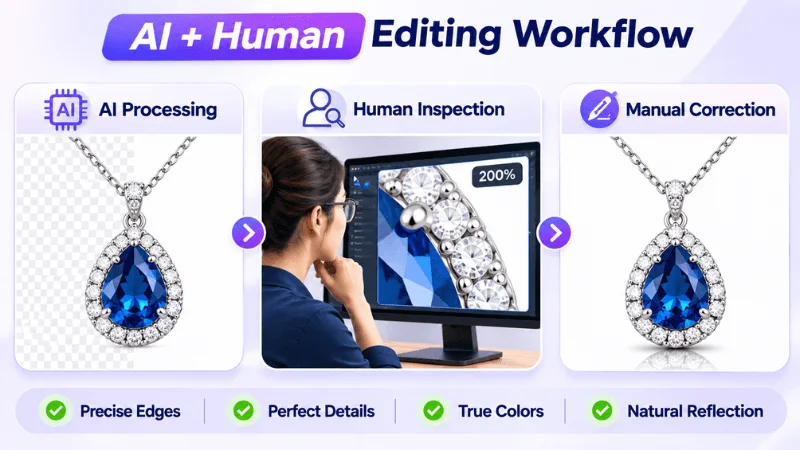
A combination of AI and manual editing can improve image editing efficiency and quality. Automated tools handle repetitive tasks, while human editors inspect complex details and correct visual issues.
Step 1 – AI-Assisted Initial Editing
Use AI tools for repetitive editing tasks, such as:
- Background removal
- Basic image adjustments
- Initial image processing
- Bulk image editing
Step 2 – Human Quality Inspection
Human editors review the processed images to identify issues that automated tools may miss.
- Edge accuracy
- Color consistency
- Fine product details
- Shadows and reflections
Step 3 – Manual Corrections and Final Approval
Images with visible defects are sent for manual correction. Editors refine edges, restore missing details, and make necessary adjustments before final approval.
Practical Example: Jewelry Catalog Editing
Consider a jewelry catalog containing 500 product images. AI tools are used to process the images initially, including background removal and basic adjustments.
Human editors then inspect complex chains, small gemstones, and product reflections. Images with inaccurate edges, missing details, or unnatural reflections are selected for manual correction. This approach helps process large image batches efficiently while maintaining attention to important product details.
A hybrid workflow balances AI processing speed with human precision. It helps businesses manage bulk editing without overlooking image quality.
Why Professional Image Editing Support Matters for E-commerce Brands
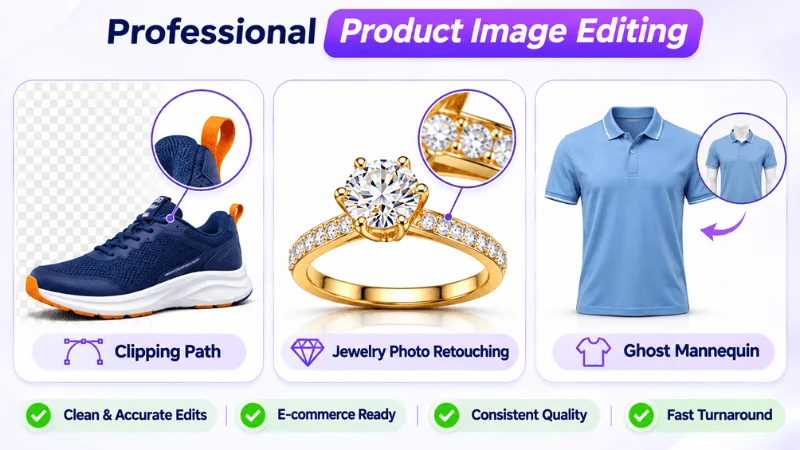
E-commerce brands need product images that look clean, accurate, and consistent. Automated tools can handle basic editing, but complex products often require skilled editing and careful inspection. Professional image editing services help businesses maintain visual quality across different product categories.
Clipping World provides specialized photo editing solutions to help e-commerce businesses prepare professional product images.
Manual Clipping Path and Image Masking
Complex product shapes require precise background removal to preserve their original appearance. Manual clipping paths and image masking provide greater control over edges and fine details.
- Precise Edges: Create clean and accurate product outlines.
- Complex Backgrounds: Remove backgrounds around difficult shapes.
- Detail Preservation: Retain fine edges, textures, and transparent areas.
Clipping World offers professional Clipping Path Services and Image Masking Services for products that need careful edge refinement.
Professional Jewelry and Product Retouching
Jewelry and other detailed products often need more than basic background removal. Professional retouching helps improve their appearance while preserving important visual features.
- Detail Refinement: Enhance small product features and textures.
- Surface Correction: Remove unwanted marks and imperfections.
- Color Accuracy: Maintain natural and consistent product colors.
- Reflection Control: Refine highlights and distracting reflections.
Clipping World’s Jewelry Photo Editing and Product Photo Retouching services help businesses prepare polished product images.
Ghost Mannequin Editing
Apparel brands use ghost mannequin editing to display garments without visible mannequins. Careful editing helps preserve the garment’s shape and natural appearance.
- Natural Shape: Maintain the garment’s original form.
- Collar Alignment: Ensure clean and balanced necklines.
- Fabric Texture: Preserve folds, stitching, and details.
- Consistent Presentation: Maintain a uniform look across product images.
Clipping World’s Ghost Mannequin Service helps apparel businesses create clean and consistent clothing product photos.
Choosing the right editing service depends on product complexity and visual requirements. Professional editing combined with proper quality inspection helps e-commerce brands maintain accurate and consistent product catalogs.
Scaling Image Editing Without Compromising Quality
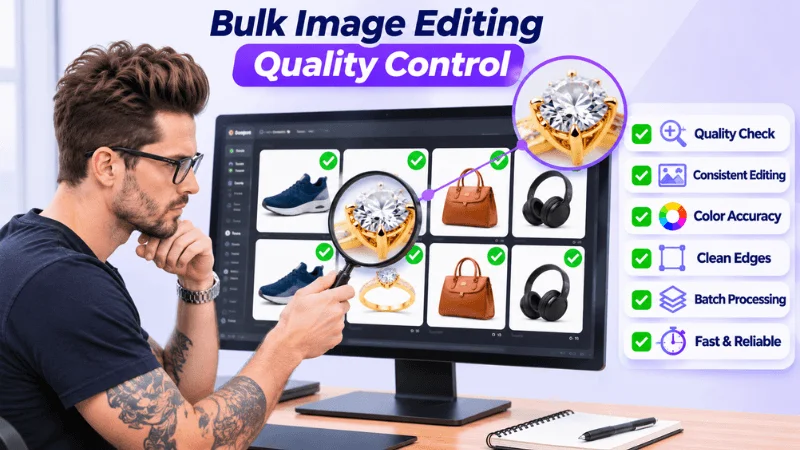
Managing hundreds or thousands of product images requires an organized editing workflow. As image volume increases, maintaining consistent quality becomes more challenging. A structured production process helps businesses manage large projects without compromising visual standards.
Quality Control for Bulk Image Editing
Bulk image editing requires proper task management and regular quality checks at different production stages.
- Image Sorting: Group images by product type and editing requirements.
- Task Allocation: Assign tasks based on editing complexity.
- Batch Processing: Process similar images using consistent settings.
- Quality Checkpoints: Inspect images during different editing stages.
- Final Inspection: Review completed batches before delivery.
A structured workflow helps identify errors early and reduces the need for repeated editing.
Quality Control for Creative Production Agencies
Creative production agencies often manage multiple clients with different image requirements. Clear guidelines and organized workflows help maintain quality across projects.
- Client Requirements: Follow each client’s specific instructions.
- Editing Guidelines: Maintain consistent editing standards.
- Revision Management: Track feedback and correction requests.
- Production Capacity: Allocate resources based on project volume.
- Delivery Standards: Maintain consistent quality and delivery timelines.
For agencies handling multiple projects, a reliable editing partner can support production capacity and maintain consistent output. Clipping World’s professional image editing services help businesses and creative teams manage different product image requirements with organized workflows and quality checks.
Frequently Asked Questions
Why Do AI Tools Leave Jagged Edges on Jewelry Photos?
AI tools may struggle to detect thin chains, small stones, and reflective surfaces. This can create rough edges or remove fine details. Manual refinement helps preserve these features.
Does Automated Photo Editing Increase Shopify Returns?
Not necessarily. However, incorrect colors, missing details, or misleading product images may disappoint buyers and contribute to returns. Proper quality control helps reduce these visual issues.
What Visual Flaws Can Human Photo Editors Catch?
Human editors can identify rough edges, leftover pixels, color distortions, unwanted shadows, blurred details, and inconsistent backgrounds. They can also correct issues that automated tools may miss.
Can A Hybrid AI-Human Workflow Improve Bulk Editing Quality?
Yes. AI can process repetitive editing tasks quickly, while human editors inspect results and correct errors. This approach helps balance processing speed with consistent image quality.
Is Manual Image Editing More Accurate Than AI Editing?
Manual editing offers greater control over complex edges, fine details, and color adjustments. AI works well for repetitive tasks, but complex product images often need manual inspection and correction.
How Do You Maintain Consistent Quality Across Bulk Product Images?
Use standardized editing guidelines for backgrounds, cropping, dimensions, colors, and shadows. Apply consistent settings and inspect image batches before publication.
Why Is Human Quality Control Important in Professional Image Editing?
Human quality control helps identify visual defects, preserve product details, and verify image accuracy. It ensures edited photos meet brand guidelines and client requirements.
Conclusion
AI image editing offers speed and automation, while manual editing provides greater precision and control over fine details. Both approaches have advantages, but proper quality inspection remains essential for professional product images.
For e-commerce businesses, a hybrid workflow offers a practical balance. AI handles repetitive tasks, while skilled editors inspect complex details, correct visual defects, and maintain consistent image quality.
At Clipping World, we combine efficient editing workflows with professional human quality control to help businesses prepare accurate, consistent, and market-ready product images. Need reliable product photo editing? Get a Free Quote from Clipping World today.