
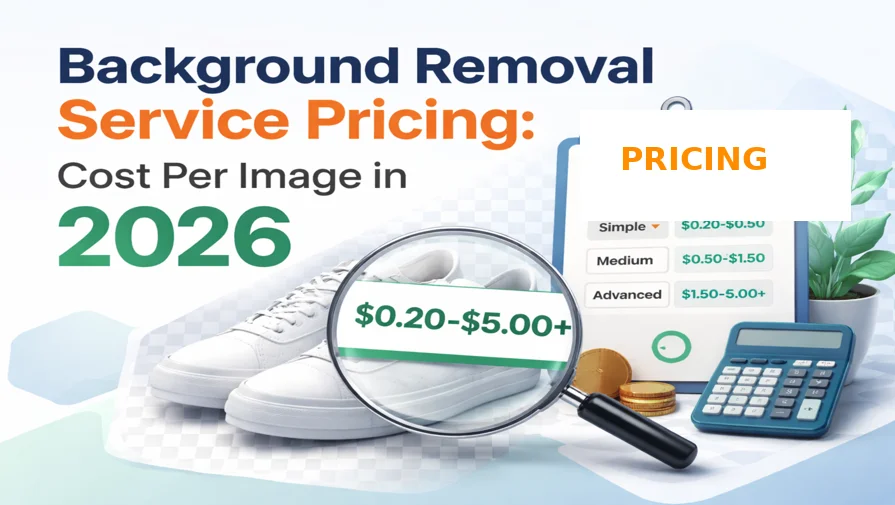
Background removal service pricing varies depending on image complexity, detail, and order volume. Whether you’re an ecommerce seller, photographer, or agency, understanding pricing helps you choose the right editing solution.
How Much Does Background Removal Service Cost?
Background removal service pricing typically ranges from $0.20 to $5.00+ per image, depending on image complexity, edges, and volume. Simple images cost less, while complex images with hair or transparency require higher pricing.
What is Background Removal Service Pricing?
Background removal service pricing refers to the cost of removing the background from an image using manual editing techniques like clipping paths or masking. Pricing is typically calculated per image and depends on complexity, detail, and volume.
Average Background Removal Pricing Per Image
Background removal service pricing varies based on how complex the image is. Here’s a simple breakdown of background removal pricing per image:
| Image Type | Price Per Image |
|---|---|
| Simple | $0.20 – $0.50 |
| Medium | $0.50 – $1.50 |
| Advanced | $1.50 – $5.00+ |
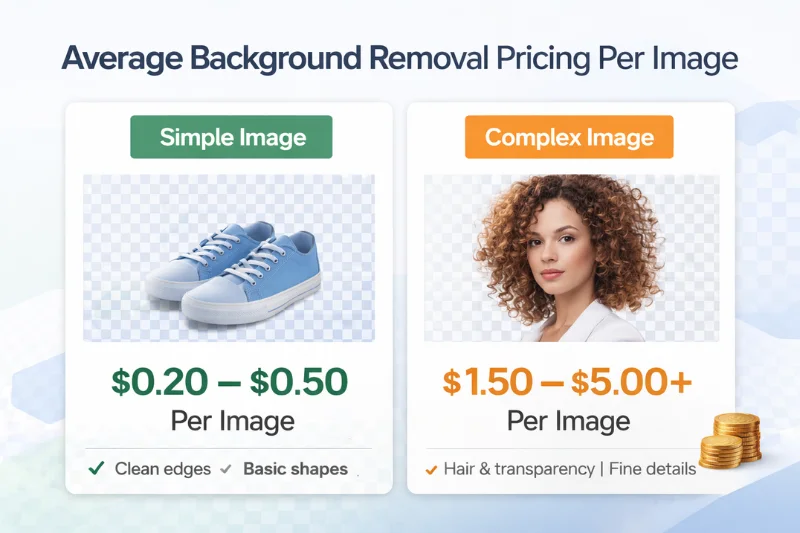
For ecommerce businesses and bulk orders, many providers offer discounted rates depending on volume. These prices may vary depending on image complexity, turnaround time, and bulk order volume.
To better understand why pricing varies, it’s important to look at the key factors that influence background removal costs.
What Affects Background Removal Service Pricing?
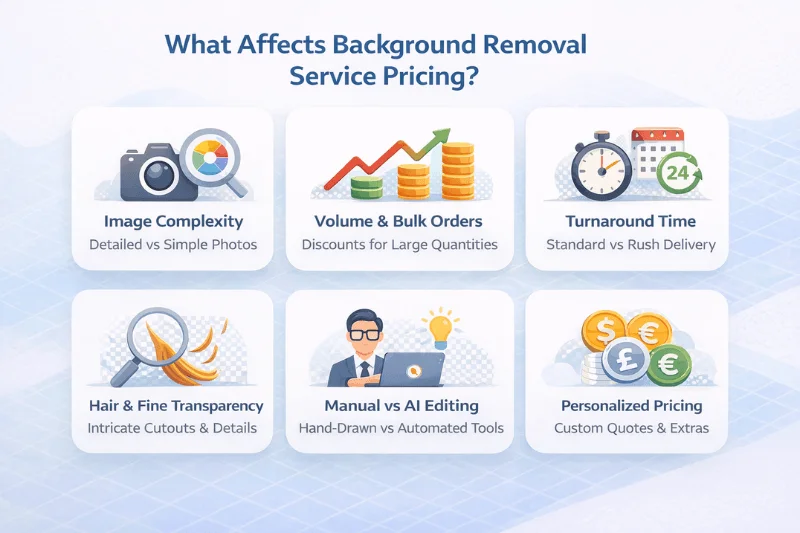
Several key factors affect background removal service pricing. The cost per image depends on image complexity, detail level, and order volume. Understanding these factors helps you estimate the total cost more accurately.
1. Image Complexity
Simple images with clean edges are easier and faster to edit, resulting in lower pricing. Complex images with fine details require more time and precision, increasing the cost per image.
2. Number of Edges & Curves
Products with multiple curves, holes, or irregular shapes take longer to process. More edges mean more manual work, which directly affects background removal pricing.
3. Hair, Fur, and Transparency
Images that include hair, fur, or transparent objects like glass and jewelry require advanced masking techniques. These details significantly increase the price due to the precision needed.
4. Order Volume
Bulk orders usually reduce the cost per image. Many background removal service providers offer discounted pricing for high-volume ecommerce projects.
5. Turnaround Time
Faster delivery requests may slightly increase pricing. Standard turnaround is usually 24–48 hours, while urgent projects may cost more.
In summary, the background removal service cost is mainly determined by image complexity, detail, and volume. Another important factor that affects pricing is whether you choose manual editing or AI-based tools.
Background Removal Pricing: Manual vs AI Comparison
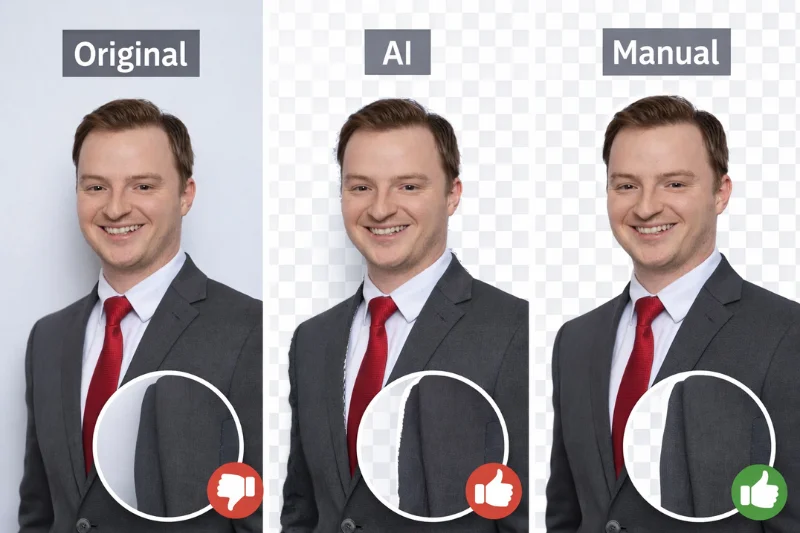
When comparing background removal service pricing, it’s important to understand the difference between manual editing and AI tools. Both options have different costs, accuracy levels, and use cases.
Manual Background Removal (Professional Service)
- 100% hand-drawn clipping path
- High accuracy with clean, precise edges
- Ideal for ecommerce product images and professional use
- Pricing based on cost per image (pay-as-you-go)
- Better for complex images with hair, fur, or transparency
Manual editing ensures pixel-perfect accuracy that AI tools often miss.
AI Background Removal Tools
Tools like remove.bg and Canva offer automated solutions.
- Fast and instant background removal
- Subscription-based pricing models
- Lower accuracy for complex images
- Often struggles with fine details like hair, shadows, and reflections
Manual vs AI: Pricing Comparison
| Feature | Manual Editing | AI Tools |
|---|---|---|
| Pricing Model | Cost per image | Monthly subscription |
| Accuracy | High | Medium |
| Complex Images | Excellent | Limited |
| Bulk Projects | Cost-effective | Expensive over time |
Which Option is Better?
For businesses that need high-quality, consistent images—especially for Amazon, Shopify, or eBay—manual background removal services offer better value and accuracy. AI tools are suitable for quick edits, but for professional ecommerce use, manual editing provides more reliable results and better long-term cost efficiency.
To better understand pricing differences across the market, let’s compare popular tools and professional services.
Background Removal Pricing Comparison with Popular Tools
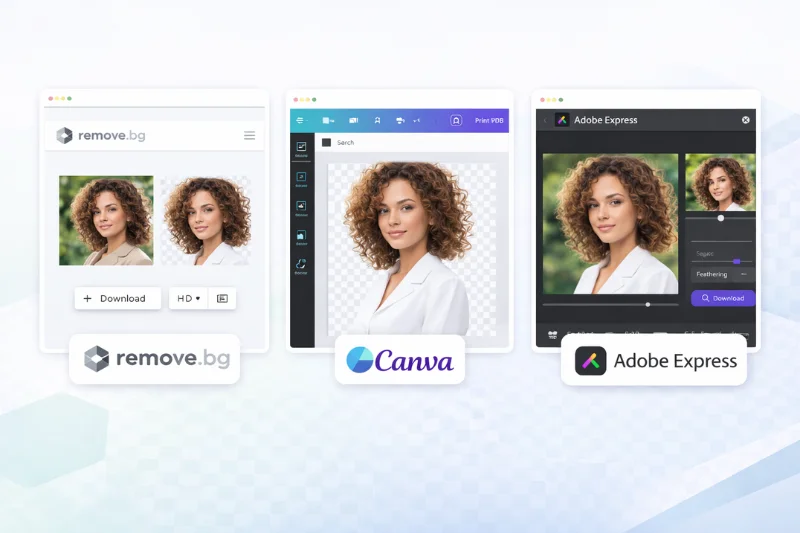
When comparing background removal service pricing, it’s helpful to look at popular AI tools and professional services to understand the cost differences.
AI Background Removal Tool Pricing
Here’s a detailed breakdown of what popular AI background removal tools actually cost per image in 2026.
Remove.bg Pricing Per Image in 2026
remove.bg offers automated background removal with both subscription and pay-as-you-go pricing.
| Plan | Price | Images |
|---|---|---|
| Pay-as-you-go | $3 (3 credits) | 1 Image |
| Lite | $8.10/month | 40 images |
| Pro | $35.10/month | 200 images |
| Volume+ | $80.10/month | 500 images |
| API bulk | $0.10–$0.20 | Large scale |
👉 Note: Pricing varies based on resolution, and HD downloads require credits.
Canva Background Remover Pricing in 2026
Canva includes background removal in its premium plans.
| Plan | Price | Cost per Image |
|---|---|---|
| Free | $0 | Not usable |
| Pro | ~$12–15/month | ~$0.05–$0.50 |
| Teams | ~$10–16/user/month | ~$0.05–$0.40 |
Important
- Background remover is only available in Pro and higher plans
- “Unlimited” depends on usage
👉 Example:
- 100 images/month → ~$0.13/image
- 20 images/month → ~$0.65/image
👉 Best for: quick design edits & marketing visuals
👉 Not ideal for: high-precision or large-scale product editing
Photoroom Pricing in 2026
Photoroom offers AI-powered background removal with flexible plans for individuals and businesses.
| Plan | Price | Notes |
|---|---|---|
| Free | $0 | Limited |
| Pro | $7.50/month (yearly) | 500 exports |
| Max | $20.99/month | 1,500 exports |
| Ultra | $82.50/month | 5,000+ exports |
| API | ~$20/1000 images | Bulk |
👉 Includes batch editing, AI shadows, relighting, and background generation.
👉 Best for: small-to-medium ecommerce edits & quick automation
👉 Not ideal for: high-precision or consistent bulk product catalogs
Adobe Express Pricing in 2026
Adobe Express offers a built-in background remover with both free and premium access.
| Plan | Price | Notes |
|---|---|---|
| Free | $0 | Limited |
| Premium | $9.99/month | Unlimited |
| Creative Cloud | ~$52–59/month | Full suite |
👉 Includes one-click background removal, AI tools, and design templates.
👉 Best for: quick edits & design workflows
👉 Not ideal for: high-precision or large-scale product editing
Slazzer Pricing in 2026
Slazzer uses a credit-based pricing model for background removal.
| Plan | Price | Notes |
|---|---|---|
| Free | $0 | Limited |
| Subscription | ~$0.05–$0.14/image | Bulk |
| Pay-as-you-go | ~$0.19/image | Flexible |
👉 1 image = 1 credit (HD download)
👉 Best for: budget-friendly bulk automation
👉 Not ideal for: high-precision ecommerce editing
Professional Background Removal Service Pricing
Professional services use manual clipping paths and masking techniques, offering more precise results.
- Cost is usually calculated per image
- More accurate for complex images (hair, jewelry, transparency)
- Better consistency for ecommerce product catalogs
- Often more cost-effective for bulk image processing
AI Tools vs Professional Services: Which is More Cost-Effective?
While AI tools may seem cheaper initially, they often require subscriptions and may not deliver perfect results for complex images. For ecommerce and bulk projects, outsourcing background removal is more cost-effective due to better accuracy, consistency, and flexible pricing.
In addition to AI tools, many businesses also compare pricing across professional editing agencies.
How Background Removal Pricing Actually Works
- AI tools use credits or subscriptions
- Cost per image depends on usage
- Unused credits may expire
- “Unlimited” plans are not truly unlimited
👉 Example:
- 100 images → cheaper per image
- 10 images → expensive per image
Background Removal Pricing for Agencies & Professional Services
Background removal pricing for agencies varies based on service type, quality, and project size. Here’s a comparison of background removal pricing across different types of professional service providers:
Agency Background Removal Pricing Comparison
| Provider Type | Pricing | Best For |
|---|---|---|
| WeEdit | $5 – $15/image | Premium |
| Path Edits | $0.39 – $0.49/image | Bulk |
| Flatworld Solutions | Min. $150/project | Enterprise |
| Clipping World | $0.20+/image | All sizes |
What This Means for Businesses
- High-end agencies are best for detailed and premium-quality editing
- Bulk outsourcing services offer the most affordable cost per image
- Enterprise providers are suitable for large, ongoing projects
For most ecommerce businesses, bulk background removal services provide the best balance between cost, quality, and scalability. With so many options available, it’s important to choose a service that balances cost, quality, and scalability.
Which Option Should You Choose?
- AI tools → fast, quick edits
- Manual services → higher accuracy
- Ecommerce & bulk → manual is best
Where Does Clipping World Fit?
When comparing AI tools and professional services, most businesses face a clear trade-off:
- AI tools → fast but medium accuracy
- High-end agencies → excellent quality but expensive
Clipping World bridges this gap by offering manual precision at competitive pricing.
Pricing & Accuracy Comparison (2026)
| Tool/Service | Cost per Image | Accuracy | Delivery |
|---|---|---|---|
| remove.bg | $0.17–$1.00 | Medium | Instant |
| Canva | $0.05–$0.50 | Medium | Instant |
| Photoroom | $0.02–$0.15 | Medium | Instant |
| Adobe Express | $0.10–$0.30 | Medium | Instant |
| Slazzer | $0.05–$0.19 | Medium | Instant |
| High-End Agencies | $5–$15 | High | 2–5 days |
| Clipping World | From $0.20 | High | 24 hours |
Why Businesses Choose Clipping World
- 100% manual background removal (no AI cutting errors)
- Pixel-perfect edges for hair, glass, and complex objects
- Consistent quality across large image batches
- Capacity of 5,000+ images per day
- Fast 24-hour turnaround (even for bulk orders)
- Up to 50% discount on high-volume projects
- Dedicated support team
Best Fit For
- Ecommerce sellers (Amazon, Shopify, eBay)
- Product photographers and studios
- Agencies handling bulk image editing
- Brands that need consistent, high-quality visuals
When to Choose Clipping World
Choose Clipping World if:
- You need consistent quality across hundreds or thousands of images
- AI tools are cutting off edges or missing fine details
- You want predictable pricing without subscriptions
- Your business depends on high-quality product images
👉 Bottom line:
AI tools are great for speed, but for accuracy, consistency, and long-term cost efficiency, manual background removal services like Clipping World deliver better results.
👉 Start your free trial — background removal from $0.20 per image. No subscription. No hidden costs. Pay only per image.
Background Removal Pricing for Ecommerce & Bulk Projects
Background removal pricing for ecommerce businesses is usually more flexible, especially for high-volume image editing. The cost per image often decreases as the order volume increases. Ecommerce sellers, agencies, and product photographers who need bulk background removal services can benefit from customized pricing plans.
Key Benefits of Bulk Background Removal Services
- Lower cost per image with volume-based discounts
- Dedicated editing teams for consistent output
- High-quality, uniform images for product listings
- Fast turnaround time (typically 24–48 hours)
- Scalable processing for large product catalogs
Why Outsource Background Removal?
Outsourcing background removal services is often more cost-effective than using AI tools for large-scale ecommerce projects. Professional background removal services provide better accuracy, consistent quality, and long-term cost efficiency.
For growing ecommerce businesses, outsourcing background removal helps reduce costs while maintaining high-quality product images. While pricing is important, choosing the cheapest option is not always the best decision.
Is Cheap Background Removal Always Worth It?
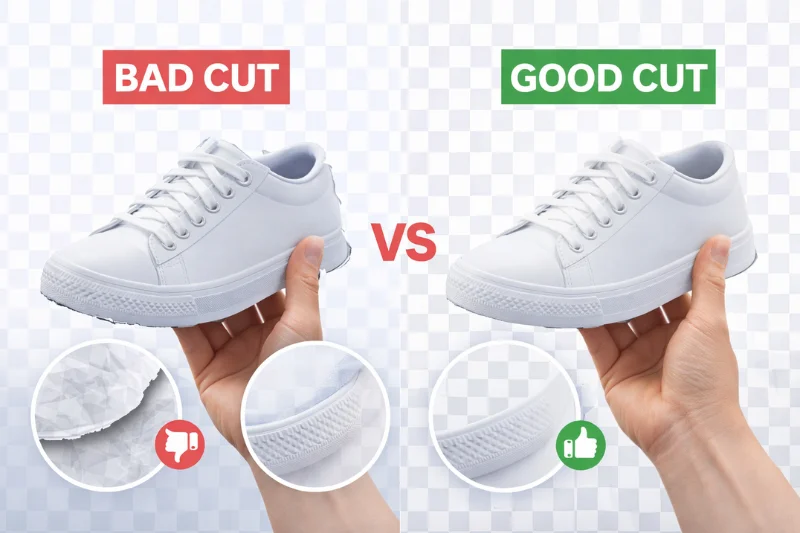
Not always.
Cheap background removal services may seem cost-effective at first, but they often compromise on quality. Very low-cost editing can lead to inconsistent results, especially for ecommerce product images.
Common Issues with Low-Cost Background Removal
- Poor edge accuracy
- Loss of fine details (hair, shadows, reflections)
- Inconsistent image quality across batches
- Unnatural cutouts that affect product presentation
Why Quality Matters
For ecommerce businesses, image quality directly impacts customer trust and conversion rates. Poorly edited images can make products look unprofessional and reduce sales. Choosing a reliable background removal service delivers better accuracy, consistency, and long-term value than cheaper options.
Frequently Asked Questions (FAQs)
Here are some common questions about background removal pricing:
Background removal typically starts at around $0.20 per image and can go up to $5 or more, depending on complexity.
AI tools are usually the cheapest upfront, but professional services offer better quality and value for bulk projects.
Yes, manual editing provides more accurate and cleaner results, especially for complex images.
Yes. Many ecommerce businesses and agencies outsource background removal to save time and ensure consistent quality.
The average background removal cost ranges from $0.20 to $5.00 per image, depending on image complexity, edges, and detail level.
Remove.bg charges around $1/image for pay-as-you-go, or $8.10/month for 40 images via subscription. For bulk ecommerce projects, Clipping World offers better value at $0.20/image with manual precision.
Remove.bg seems cheaper upfront, but for bulk orders, the cost becomes $0.20–$0.65/image via subscription. Clipping World starts at $0.20/image with higher accuracy and no subscription lock-in.
Final Thoughts
Background removal service pricing depends on your specific needs, but for most ecommerce businesses, professional editing offers the best balance between cost and quality.
If you’re working with product images regularly, choosing a reliable service provider can help you maintain consistent visuals, improve product presentation, and ultimately increase conversions.
👉 Get high-quality background removal starting at just $0.20 per image. Start your free trial or request a custom quote today.